
Stay posted with kuikwit's informative posts
How CRM Marketing Automation Can Transform Your Business with Kuikwit
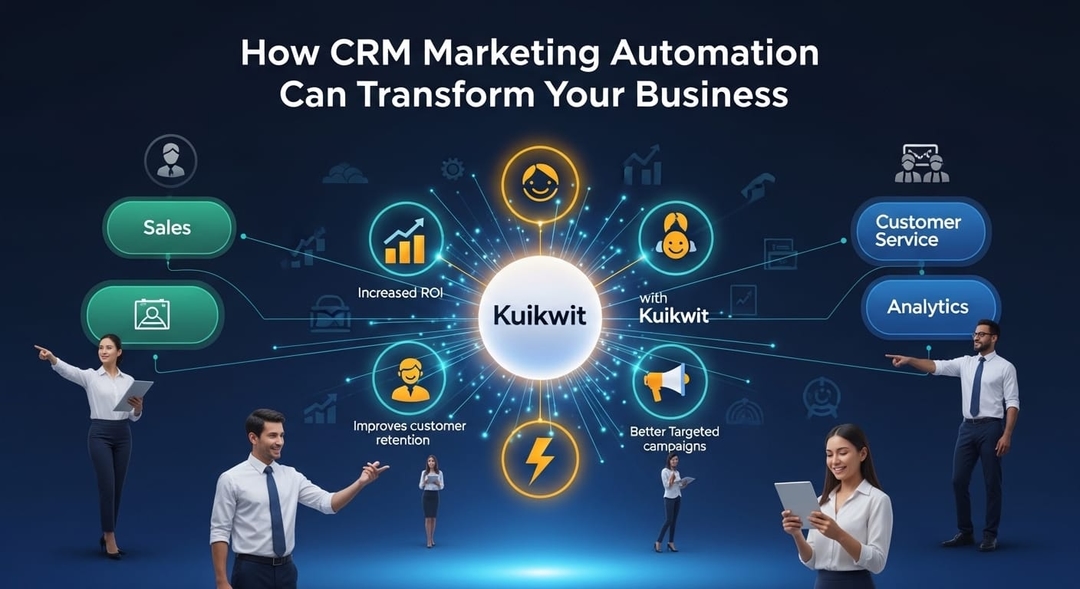
CRM marketing automation combines customer data with automated workflows to personalize marketing, boost engagement, and improve efficiency. With tools like Kuikwit, businesses can manage omnichannel communication, automate tasks.
Tag:
Published:
6 months ago
Updated:
6 months ago
Reading_time:
9 min read
Breaking It Dow...
Here's What Bug...
Okay But How Do...
What Changes Wh...
Real Situations...
Starting From Z...
Why Kuikwit Kee...
Wrapping This U...
Questions I Get...
Tag:
Published:
6 months ago
Updated:
6 months ago
Reading_time:
9 min read
True story. Last year I was sitting at my desk at 11pm on a Wednesday, manually copying customer emails into a spreadsheet so I could send follow-ups the next morning. My coffee was cold. My back hurt. And halfway through, I realized I'd accidentally sent the same "thanks for your purchase" email to a guy named Derek twice. Derek noticed. Derek was not impressed.
That was my wake-up call.
I'd been hearing about CRM marketing automation for months but kept putting it off because it sounded complicated and expensive and like something only big companies with dedicated marketing teams needed. Wrong on all three counts, it turns out.
Breaking It Down (No Buzzwords, I Promise)
CRM marketing automation is two things glued together.
Thing one: your CRM. That's where you keep track of customers. Their names, emails, what they bought, when they complained, whether they opened your last newsletter. All the details.
Thing two: marketing automation. Software that does stuff for you — sends emails, triggers text messages, pushes notifications — based on rules you create ahead of time.
Combine them and here's what changes. Instead of you sitting there at 11pm deciding who needs what email, the system already knows. It checked the data. It saw that Maria bought candles three times in the past two months. So it sent her a message about your new winter scent collection. Automatically. While you were watching TV.
Meanwhile, it noticed that James put something in his cart nine hours ago and never checked out. So it pinged him. Gentle reminder, no pressure, here's a link back to his cart.
You didn't do any of that. It just happened. That's the pitch, basically.
Here's What Bugs Me About How People Talk About This
Everyone makes automation sound like this clinical, corporate thing. "Leverage your data assets to optimize customer touchpoints." Spare me.
What it actually is? It's making sure you don't forget about people. That's it. Every business owner I know has dropped the ball on a follow-up at some point. A potential customer reached out, you got busy, three days went by, and now it's awkward to respond. We've all been there. Automation just... catches those.
And the personalization angle gets overcomplicated too. People act like you need a PhD in data science to personalize a message. You don't. You just need to know what someone bought and reference it. "Hey, how are you liking the headphones you picked up last week?" takes zero technical skill. Your CRM already has the purchase data. The automation tool just plugs it into the message template. Done.
I talked to this woman who runs a small skincare brand out of Lahore. Maybe 300 customers total. She started sending personalized restock reminders — like, "your moisturizer from February is probably running low, want another one?" — and her repeat orders went up by something like 40% in two months. She spent maybe one afternoon setting it up on Kuikwit. One afternoon. For a 40% increase. That math is hard to argue with.
Okay But How Does It Actually Work Day-to-Day?
Let me get practical because I know the theory can feel abstract.
First thing — and I cannot overstate this — get your customer data into one place. One. Not a spreadsheet and a Gmail folder and a notebook you keep by the register. One CRM. If your data is messy, your automation will be messy. Garbage in, garbage out. I learned this the hard way when I set up a welcome email sequence and half the names were wrong because my contact list was a disaster.
Once your data is clean and centralized, you start building what are called workflows. Fancy word for a simple concept: "when X happens, do Y."
Some examples:
New customer signs up → send welcome email with 10% off first order.
Customer hasn't purchased in 60 days → send a "we miss you, here's what's new" message.
Someone abandons their cart → wait 2 hours, send a reminder. If they still don't buy, wait a day, send another one with a small incentive.
Customer's birthday → send a happy birthday message with a special offer.
You set each of these up once. Once. Then they run forever. Or until you decide to change them, obviously.
The channel thing matters too and I think people underestimate it. I have customers who literally never check email. Ever. But they'll respond to a WhatsApp message within minutes. If I was only doing email automation, I'd be missing those people entirely. Kuikwit handles WhatsApp, SMS, email, and web chat all from one screen, which — I know this sounds like an ad but it genuinely solved a real problem for me. I was logging into three different platforms every morning before.
What Changes When You Set This Up
I'll be real. Automation didn't transform my entire business overnight. Anyone who claims that is selling something. But it did fix specific problems that were costing me money and sanity.
The response time thing. A customer sends you a message at 2am. Before automation, they'd wait until you got to the office at 9. Seven hours of silence. Now they get an instant reply — "Hey, got your message! We'll get back to you first thing in the morning." It's such a small thing but it completely changes how people feel about your business. They don't feel ignored. That matters more than most people realize.
I stopped losing leads. This one stings because I have no idea how many potential customers I lost before automation just because I forgot to follow up. Not intentionally. I was just busy and things fell through the cracks. Now? Every lead gets a follow-up sequence. Every single one. No exceptions, no "oh I'll get to that tomorrow" and then forgetting.
My team stopped doing robot work. I had someone on my team — great employee, smart, creative — spending literally half her day copying and pasting order confirmation emails. Half. Her. Day. We automated that and she started working on our social media strategy instead. Our Instagram engagement tripled in three months. All because she wasn't stuck doing copy-paste anymore.
Scaling stopped being terrifying. We went from about 150 active customers to over 800 in the span of a year. Before automation, that would have meant hiring at least two more people just to handle the communication workload. Instead, the system absorbed it. Same workflows, same messages, just more people flowing through them. Our costs barely changed.
Real Situations Where This Stuff Shines
Cart abandonment is the classic example and there's a reason for that — it works incredibly well. Someone fills their cart, life happens, they bounce. Two hours later they get a message: "Still thinking about it? Your cart's waiting." We recovered something like 18% of abandoned carts last quarter. On a roughly $80 average order value, that added up fast.
Order updates are another big one. Automated shipping notifications through WhatsApp cut our "where's my order" support tickets by more than half. That freed up our support person to actually help people with real problems instead of just tracking packages all day.
The loyalty program thing surprised me. We set up automatic point balance reminders — just a monthly "hey, you've got 450 points, that's enough for a free item" kind of message. Redemption rates jumped. People genuinely forget about loyalty points. A little nudge goes a long way.
And post-purchase messages. Dead simple. "Thanks for ordering, [name]! Let us know if you need anything." Sometimes we include a discount code for next time. Takes zero effort once it's set up and customers consistently mention it in reviews. "Great follow-up" and "they actually check in after the sale" come up a lot.
Starting From Zero: What I'd Do Differently
If I could go back and do this over, here's what I'd change about my approach.
I'd start with literally one workflow. Just one. I got overexcited and tried to build like eight different automated sequences in my first week. Bad idea. Half of them had mistakes, the timing was off on a couple, and I overwhelmed myself trying to manage all of them at once. Pick your most painful manual task and automate that. Get it perfect. Then move on.
I'd spend more time on the actual messages. My first automated emails were... not great. Very template-y. Very "dear customer, thank you for your recent purchase, we value your business." Nobody talks like that. Nobody. Rewrite your messages until they sound like a text you'd send to someone you actually like. Casual, warm, specific.
I'd pick Kuikwit from the start instead of wasting two months on a platform that required a computer science degree to configure. Kuikwit's workflow builder is visual and intuitive. You literally drag and drop. Their AI chatbot handles initial customer questions without sounding like a robot, which I was skeptical about but ended up being pleasantly surprised by. And having WhatsApp, SMS, email, and web chat in one dashboard saved me from what I can only describe as "tab hell."
I'd test on myself first. Before any message goes out to a real customer, send it to yourself. Read it on your phone. Does it look right? Does the timing make sense? I once accidentally set a promotional message to fire at 5:30am. Luckily I caught it because I tested on my own number first. My customers were spared. My sleep was not.
And I'd wait at least three weeks before judging whether something is working. I used to check my open rates every single day for the first week. Pointless. You need enough data to see real patterns. Give it time, then adjust.
Why Kuikwit Keeps Winning Me Over
Look, I'm not going to pretend I've tried every platform on the market. I haven't. But I've tried enough to know what matters and what doesn't.
Kuikwit does omnichannel right. Not "we technically support WhatsApp if you install three plugins and sacrifice a goat" right. Actually right. One inbox, all channels, full conversation history regardless of where the customer started the chat. That alone saves me probably 45 minutes a day.
The AI chatbot feature works better than I expected. I was cynical. Most chatbots are terrible and everyone knows it. But Kuikwit's handles common questions — order status, return policy, product availability — smoothly enough that customers usually don't realize they're not talking to a person. And when the conversation gets complex, it hands off to a human seamlessly. No awkward "please wait while I transfer you" interruption.
Analytics are clean and useful. I don't need seventeen different graphs. I need to know which messages are getting opened, which workflows are converting, and where people are dropping off. Kuikwit shows me that without making me dig through a maze of dashboards.
Their support team also deserves a shout-out. Every time I've had a question — and I've had plenty — I get a helpful response within a few hours. Not a canned "have you tried turning it off and on again" reply. An actual useful answer from someone who understands the platform.
Wrapping This Up
CRM marketing automation isn't going to fix everything. If your product is bad, no amount of clever automated messaging will save you. If your customer service is genuinely terrible, automation will just scale the terribleness. Let's be honest about that.
But if you're running a decent business and you're just drowning in manual communication tasks — the follow-ups, the order updates, the cart reminders, the "I forgot to email that person back" moments — this is the fix. It's not glamorous. It's not going to make you feel like a marketing genius. But it'll quietly, consistently make your business run better.
Start with one workflow. Write messages that sound like you. Pick a platform that doesn't make you want to throw your laptop across the room. And give it a few weeks before you decide whether it's working.
That's genuinely all there is to it.
Questions I Get Asked a Lot
What even is CRM marketing automation, in like, normal words? It's when your customer database automatically triggers marketing messages based on what people do. Someone signs up? Auto welcome email. Someone forgets their cart? Auto reminder. It uses what you know about each customer to make the messages feel personal instead of spammy.
My business is tiny. Is this still worth it? Honestly? Small businesses might benefit the most. You probably don't have a dedicated marketing person, which means you're doing all this stuff yourself. Automation gives you back hours every week. A skincare brand I know with around 300 customers saw a 40% jump in repeat orders after setting this up. Size doesn't matter here.
Will people be annoyed by automated messages? Only if the messages are bad. Generic "dear valued customer" stuff? Yeah, that's annoying. But a message that says "hey Sarah, the shampoo you bought in March is probably running low — want us to send another bottle?" That doesn't feel automated. That feels attentive. Big difference.
Where should I start if I've never done this before? Find the one task you repeat most often. For a lot of businesses that's follow-up messages after a purchase or responses to super common questions. Automate that one thing first. Once it's running smoothly, add another. Don't try to do everything at once — that's how you burn out and give up.
What makes Kuikwit worth looking at? Honestly, it's the all-in-one channel thing. Managing WhatsApp, SMS, email, and live chat from a single dashboard is a game changer when you've been juggling multiple tools. The AI chatbot is surprisingly competent, the workflow builder doesn't require coding knowledge, and their analytics tell you what you need without overwhelming you with data you'll never use.