
Stay posted with kuikwit's informative posts
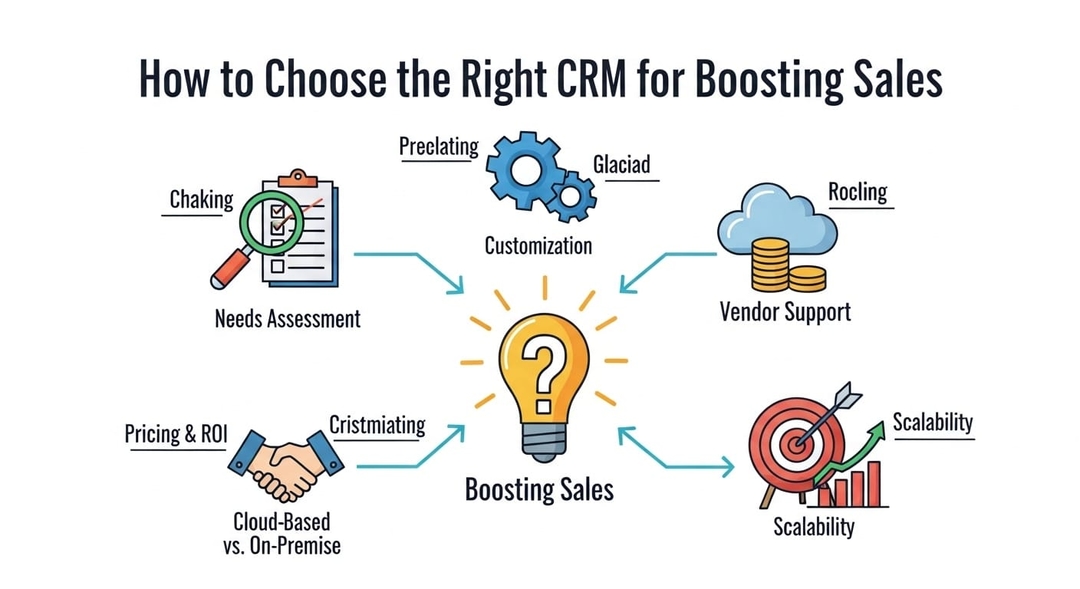
How to Choose the Right CRM for boosting sales
Picking a CRM is a revenue move. Find the right fit to reply faster, keep context, and follow up without juggling five different apps.
Tag:
Published:
7 months ago
Updated:
4 months ago
Reading_time:
10 min read
Quick FAQ
CRM meaning in ...
Sales pipelines...
Customer servic...
Management visi...
Choosing CRM so...
What a CRM syst...
How it works be...
Benefits you sh...
Examples of CRM...
Mistakes people...
Comparisons tha...
How to manage a...
Where...
FAQs (People Al...
Tag:
Published:
7 months ago
Updated:
4 months ago
Reading_time:
10 min read
Buying a CRM might sound like a purely “software decision,” but in reality, it’s a revenue decision. If you have the right platform, your team will be able to respond to customers quicker, follow up more effectively, and won’t lose any more sales simply because of communication breakdowns. If you really want to increase your sales, purchasing a CRM is one of those “silent decision” changes that can transform your entire week.
Quick FAQ
What is a CRM, really?
A CRM is a system that keeps a record of customers' info, communication, and progress of deals so that your team members do not have to rely on their memory or scattered notes.
Will a CRM be helpful for a small team?
In most cases, the answer is yes, especially if you generate leads through multiple channels and follow-ups are becoming an issue.
How does a CRM operate on a regular basis?
It gathers customer information, keeps a record of communication, establishes who is responsible, and ensures that the next step remains visible until the deal is completed.
CRM meaning in plain English
The literal meaning of the CRM acronym is Customer Relationship Management, but the functional meaning is even more direct: it is like a shared memory for your company. It secures customer information, conversations, and sales actions in a single location so that you don’t lose track when the day gets busy.
Without a specialized CRM management software, the “system” might even be a combination of WhatsApp chats, DMs, inboxes, spreadsheets, and someone’s brain. This makeshift system works until it doesn’t. Looking at CRM software examples from industries like healthcare or recruitment shows how a cloud based CRM consolidates all those fragments into one view. This allows you to see who asked what, what you answered, and what is the next move, ensuring that popular CRM software features like automated workflows keep your business scaling smoothly.
CRM is not merely a contact management tool either. It is a rebound tracker. Technically speaking, the CRM is so good that it replaces the need to ask the same question over and over, it ensures that you never miss a follow-up, and it eliminates the uncomfortable “Sorry, who are you again?” moments. This alone will give you the professional feeling, even before the results figure.
Sales pipelines and where a CRM actually helps
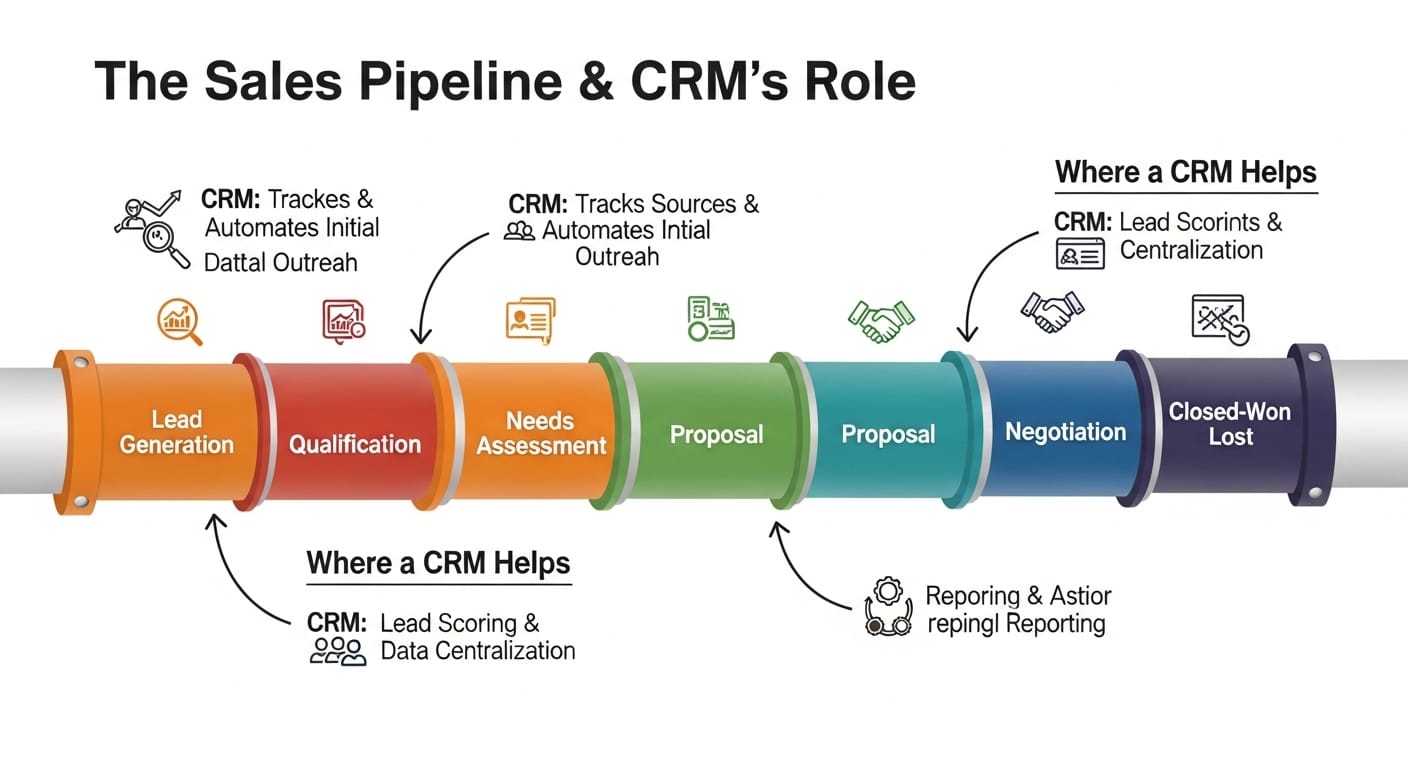
If a person says that he or she is after more sales, that person most probably means more conversions, not more conversations. A CRM is really of help as it makes your sales pipeline go from being solely “based on vibes” to something that can be physically seen. You are able to locate the stage which each lead is at, you are also able to identify which ones are stuck and what needs to be done today.
In addition, it enables you to steer away from the rookie mistake where the rep talks to one lead and then forgets to follow up. CRM simply puts the next step right before your eyes: call back, send quote, send options, confirm time, close deposit. It also clarifies ownership, which is much more important than people realize. When no one owns a lead, everyone assumes that someone else is handling it. Thanks to a CRM, every deal is assigned to a person and a timeline. This is also how you stop losing easy victories.
Customer service that quietly drives revenue
Many companies separate customer service from selling, while customers do not make this distinction. They simply remember whether or not you were helpful and quick. A CRM turns support conversations into potential revenue generators because customer history is always available. When a person raises a question, you are able to spot what that individual has purchased, what was the last time you talked about, what was the problem and what are the preference. This makes your response more / less impersonal. It also allows you to notice opportunities without being too aggressive.
A person inquiring about delivery probably also needs an upgrade. On the other hand, a person wanting to make a return will most likely need some form of reassurance and a better product. Good customer service naturally leads to less churn and less churn is, in fact, a sales tactic disguised. On the other hand, when service is all over the place—slow replies, repeated questions, inconsistent answers—customers do not always complain. They just disappear. A CRM facilitates the repetition of “good customer service” which is the main point.
Management visibility without micromanaging

The word management immediately conjures up the idea of “more reporting”. However, the best CRMs are actually those which result in less reporting, since every activity is already being tracked. You get to know what is going on without having to nag your team for updates continually. You can check response times, see open deals, follow up overdue tasks, and identify which channels are yielding the most leads. Such clarity is also a help when it comes to staffing. You can change the level of coverage if messages spike at certain times. If one point in the pipeline keeps getting jammed, then you can adjust that particular step instead of blaming the effort.
A CRM also gives you a lot of confidence requires revenue forecasts. You won’t be dead on, but certainly more accurate than guessing. Management gets more relaxed when the whole truth is in front of them on a single screen point. But this is not referring to the “Big Brother” sort of manner. Instead, it is a bit like having a car dashboard-by which means you are not “driving blind.”
Choosing CRM software that matches how customers reach you
The CRM industry is always booming, and CRM software on internal pages can look very much alike in terms of price. The better question is: where do your customers actually talk to you?
If you get a lot of leads through forms on your website, you may want to highlight email tracking pipeline features. However, if most of your leads come through WhatsApp, Instagram, and Facebook, you probably need a smart hub that is communication-first rather than a standard pipeline tool. Switching between applications is a real source of time-wasting for your team, which is why you should centralize WhatsApp and Instagram messages into one place.
This prevents the slowing down of replies and reduces missed messages. In these instances, a unified inbox with automatic assignment and quick, consistent response methods is best. You also want the system to be very simple to ensure your team actually uses it effectively.
What a CRM system should do every single day
As a rule, a crm system must carry out the bare essentials perfectly because this is the only way that momentum can be generated. It should gather leads, keep details of contacts and link conversations to client profiles. Users should be able to map out each sale procedure stage without doing any additional paperwork. It should highlight follow-up times instead of making them difficult to see. Also, teamwork support is necessary in the form of assignments, notes, shared visibility, and handoffs when someone is off.
If speed is a priority driver for your company, the CRM should be able to offer also templates, quick replies, and automation of repetitive issues. While reporting is necessary, you do not want to be overwhelmed by it. What you want to have are simple insights that will assist you in taking actions at different stages: lead sources, drop-offs, reply time, and fastest closers. If a CRM is able to make these everyday functions simpler, then you will experience the effects rapidly. However, if, on the contrary, it complicates things, it will end up as shelfware.
How it works behind the scenes (without the jargon)
At its core, a CRM combines a database and workflows. A CRM stores customer information, records interactions, and maps activities to various stages allowing your team to move deals toward closing. Some CRMs focus mainly on sales pipelines, others on support tickets, while some offer features for both. The workflow component is what really generates value; these are reminders, assignments, 'next step' notifications, and visibility of bottlenecks. Once integrated with communication channels, the CRM can automatically fetch conversations so that you don't have to manually input them later. This is a big part of what makes it 'feel' modern.
Benefits you should expect (and what not to expect)
A CRM won’t create demand out of thin air. It won’t substitute for marketing or fix a weak offer. Its main function is to minimize leakages such as unnoticed messages, forgotten follow-ups, inconsistent answers, and loss of context. Besides, a CRM enhances speed which translates into higher conversion, it ensures consistency that leads to trust, and it improves visibility which aids decision-making. Usually, your first observation will be fewer instances of 'lost leads'. Following that, more orderly handoffs, and a better conversion rate will emerge over time. Sorry to disappoint, but don’t expect absolute perfection: customers still disappear from your radar without a word, and leads still compare their options."
Examples of CRM choices by business type
Running a service business such as salon, clinic, trades or consulting? Then, you will desire features like scheduling, quick responses, and consolidated follow-up tracking. Your leads are time-sensitive and usually start with quick questions. But if you are running ecommerce, you will require order context, returns tracking, and consistent support messaging, because customer trust is the conversion lever. In a B2B setting, pipeline stages, notes, reminders and multi-contact accounts are some of the things you will want, given the longer and more complex nature of deals involving multiple stakeholders.
For those with a small team across multiple platforms, unified messaging and assignment will stop the app-switching kill momentum. Therefore, the point isn’t that one CRM fits everyone. It’s just that your CRM needs to be in line with what is going on around you. The best-fit CRM will be so boring that you won’t even notice it. It will just work. No one will be battling with the tool all day long.
Mistakes people make when choosing a CRM
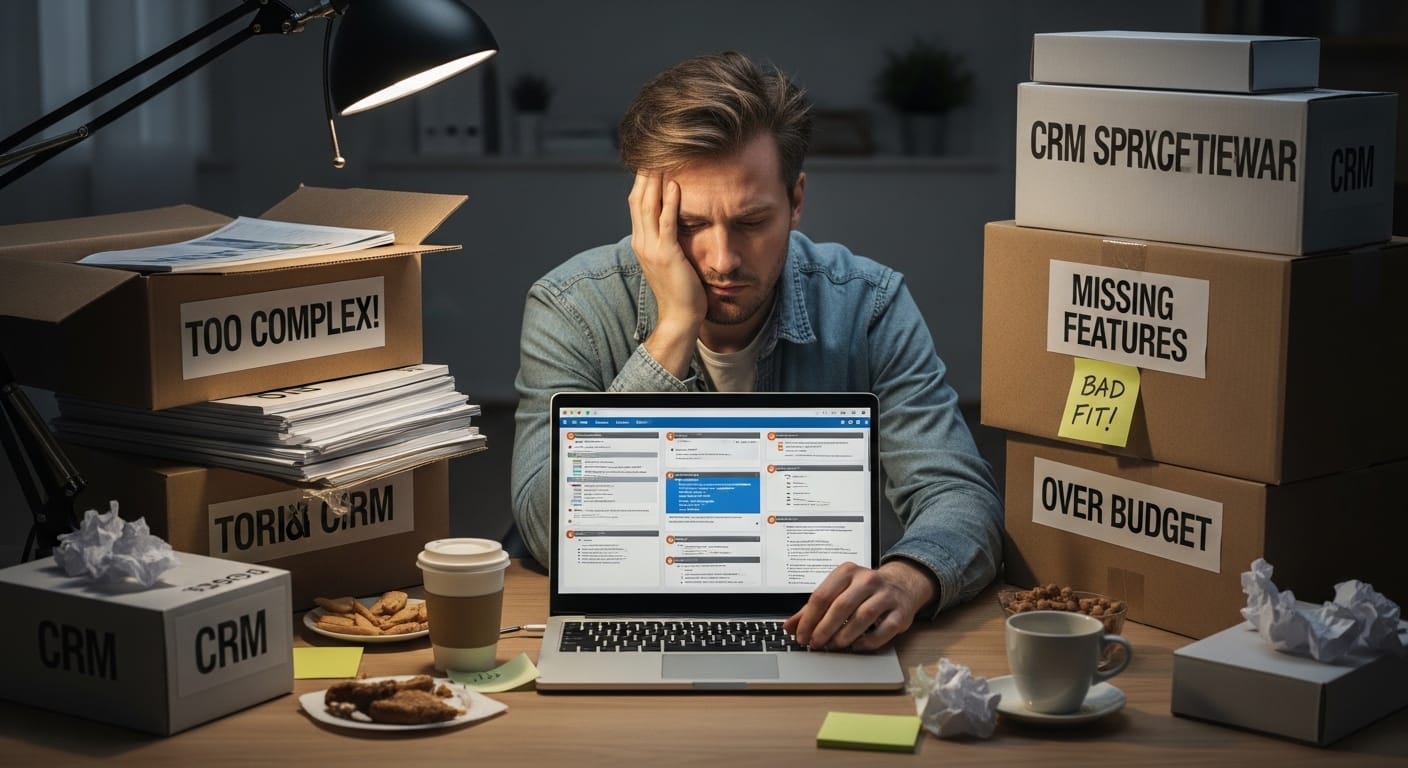
One of the most common mistakes when choosing a CRM is deciding based on functionalities that will never be used by the end users. The problem with long feature lists is that complexity results in a low adoption rate. The second error is overlooking lead sources. The bulk of your leads are probably in social networks direct messages (DMs). Choosing a CRM that only supports email and web forms will result in a disconnect for you.
Another mistake is treating a CRM as a “manager tool” rather than a “team tool”. If salespeople receive no benefit from using the CRM, they will simply avoid it. Also, the craftsmanship and preparation of system implementation are often underestimated. A CRM requires well-designed stages, tags, ownership rules, as well as some basic templates. Otherwise, you'll just end up with a database mess. Finally, businesses forget data hygiene: duplicates, inconsistent notes, and missing fields silently degrade the CRM’s usefulness. The answer isn’t heavy policing. It’s a clean workflow and minimum required steps.
Comparisons that make the decision easier
Here’s a simple breakdown to help you sift through those sales pages:
The key point is that it is not about “best software,” but about fit. If your team mainly live in messages, it makes sense to pick a system that is built just for daily message exchange. If a simple email and call-sales workflow is your main method, a traditional sales pipeline CRM will do the job most of the time. The right decision is in harmony with the way that you are currently working. It should not force you to follow a strange new procedure just to be able to use the tool.
How to manage adoption so the CRM actually gets used
Don't try to enforce an entire CRM solution at once but work gradually towards adoption, starting with probably a single sales pipeline, a handful of mandatory fields, and clear rules about ownership. Make sure that the CRM is making life easier for your sales team. Quick reply options, easy note-taking, automatic data collection wherever is possible. If the CRM is yet another administrative burden, people will quite simply avoid it. Additionally, define what “done” means. For example: every lead must have an owner, a stage, and a next step. That’s all. Keep it simple. When the_staff becomes familiar with the system, then you may add automation, templates, and report
Where Kuikwit fits into this conversation
In case your leads come from chat channels like WhatsApp, Instagram, Facebook, etc., the Kuikwit method might suit your needs. This platform is built to be a comprehensive customer communication and CRM platform featuring a single inbox, efficient teamwork routing, AI-based auto replies, analytics, and high security among others. In short, this helps to reduce the number of missed messages, make the ownership clearer, and speed up the response time without your team having to use five different apps simultaneously. Thanks to the CRM layer, the context continues to be kept, so follow-up actions do not rely on memory. This is an important factor for the teams that sell through conversations. It is not that you wish to "operate CRM" as a separate task. Rather, you simply respond and keep track in one place. Typically, this is what people refer to when they say they desire a CRM for growth, but they do not want to introduce complexity.
FAQs (People Also Ask)
1) What is the main purpose of a CRM?
The main purpose of a CRM is to keep customer information and the record of their interactions in one place, so that teams can comfortably follow up with customers and continue their management of deals without losing any context.
2) How does a CRM help with sales?
A CRM helps in sales by allowing tracking of leads, sending reminders for follow-ups, raising the quality of customer relations, and keeping the context of the customer coming into view so that the sales conversions do not depend on memory alone.
3) What features should I look for in CRM software?
Features that are considered a must are contact/storage management, visualization of pipeline stages, task or follow-up tracking, multiple users/team assignment, reporting, and as well as bringing together the functionality of all your major channels.
4) What is the difference between a CRM system and a spreadsheet?
On one hand, a spreadsheet simply stores data. On the other hand, a CRM system may or may not store data, but it primarily is a set of workflows—such as assigning ownership, setting up reminders, viewing history, and creating reports—along with daily selling and support-related functions.
5) Is CRM useful for customer service teams?
Indeed. It provides the ability to keep customer histories and previous inquiries at the forefront, which results in better response quality and lesser repeated questions as well as inconsistent answers.
… the moment you choose CRM that aligns with how your customers last actually spoke to you, everything becomes much quieter inside. That means fewer things getting dropped. Less chasing. More of neat and clear follow-ups. And you also stop thinking about CRM entirely, which by the way is the best signal.