
Stay posted with kuikwit's informative posts
How to Use One WhatsApp Number With Multiple Agents (2026 Guide)
Yes, several people can answer customers on one WhatsApp number. This guide compares the three ways to do it (free linked devices, the WhatsApp Business API with a shared inbox, and a full helpdesk), with the costs, trade-offs of each, so you can pick the cheapest one that works for your team.
Tag:
Published:
1 hour ago
Updated:
1 hour ago
Reading_time:
8 min read
Why does the fr...
Option 1: Linke...
Option 2: How d...
Option 3: Is a ...
How do the thre...
How do you set ...
When do you not...
Frequently aske...
Start with the ...
Tag:
Published:
1 hour ago
Updated:
1 hour ago
Reading_time:
8 min read
Yes, you can have multiple agents on one WhatsApp number. There are three ways to do it: link extra devices to the free WhatsApp Business app, connect the number to the WhatsApp Business API and answer from a shared inbox, or run it through a full helpdesk. Linked devices are free but nobody can see who is handling which chat. A shared inbox adds assignment and reporting for a per-person monthly fee.
Why does the free WhatsApp Business app fall short for teams?
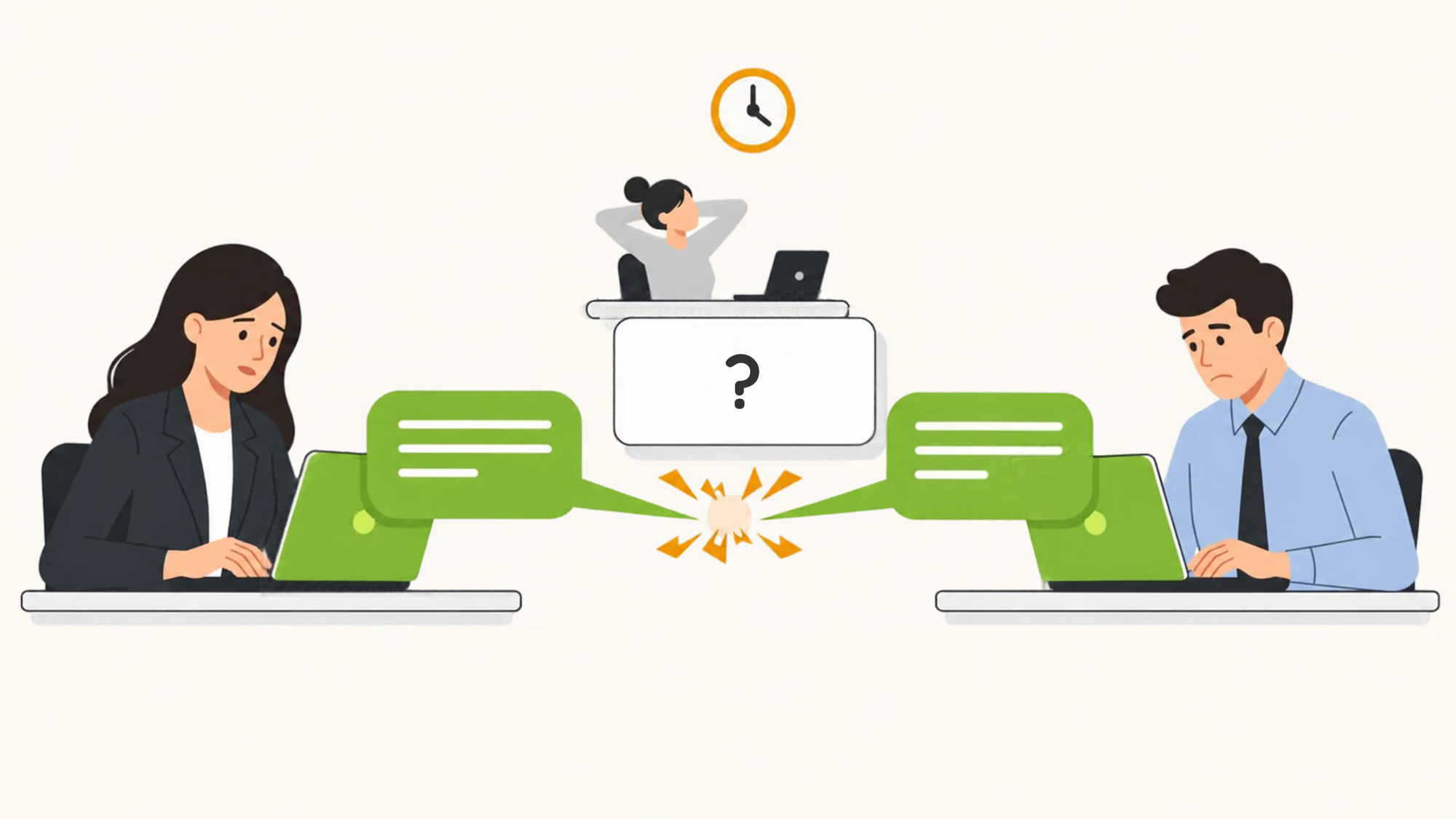
The WhatsApp Business app was built for one person on one phone. Here is what a normal Tuesday looks like for a three-person shop sharing one number. A customer asks at 9pm whether her order has shipped. In the morning, two people see the message. Both reply, with slightly different answers. Or each assumes the other has it, and nobody replies until she writes again at noon, annoyed.
The app has no fix for this, because it is missing four things:
- No owner per chat. Everyone sees every conversation and nothing says "this one is Sara's".
- No record of who replied. All messages go out under the business name. If a customer was promised a refund, you can't tell who promised it.
- No private notes. You can't leave a teammate a note inside the chat without the customer seeing it.
- No reporting. You can't see how long customers wait or how many chats each person handles.
None of this matters when you're alone. With a team, it is the whole problem.
Option 1: Linked devices (free)
How it works
On the main phone, open the WhatsApp Business app, go to Linked devices and scan the QR code shown on a teammate's computer (WhatsApp Web or the desktop app). That person can now read and answer every chat on the number.
The free app lets you link up to four extra devices to the main phone, so five people at most. Linked devices are logged out if the main phone doesn't open WhatsApp for about 14 days.
Meta also sells a paid subscription, Meta Verified for Business, that raises the limit to 10 linked devices and adds some basic assignment tools inside the app.
Who it suits
Two or three people who sit near each other, or who work different shifts. If one person covers mornings and another covers evenings, you rarely collide, and free is the right price.
Where it breaks
- Everyone sees everything, and nobody owns anything. The "who's got this?" question never goes away.
- The owner's phone is the single point of failure. Lose it or change it, and the whole team is logged out.
- You can't limit what a new hire or a part-timer sees. They get every chat, including the ones with your biggest customers.
- There are no numbers to look at. You find out you're slow when a customer complains.
Option 2: How do you set up multiple agents on one WhatsApp number with the API?
What the WhatsApp Business API is
The WhatsApp Business API (Meta now calls it the WhatsApp Business Platform) is the version of WhatsApp made for teams and software. It has no app of its own. You connect your number to a tool, and your team logs in to that tool to answer.
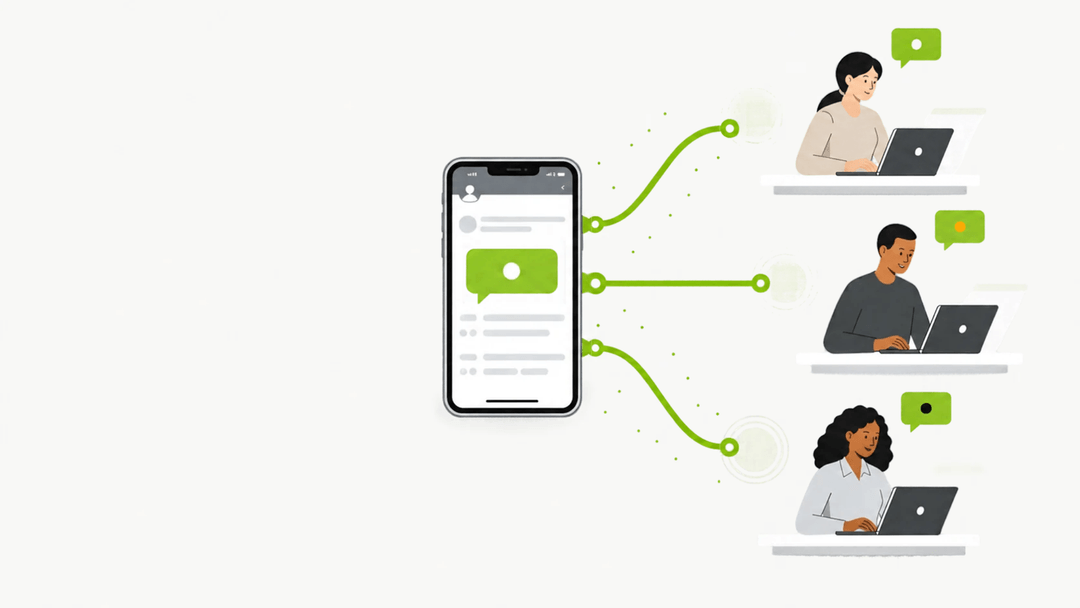
That tool is usually a WhatsApp shared inbox. Each person has their own login. Each chat has one owner. Your customers notice nothing: they message the same number and see the same business name.
This is what Kuikwit's WhatsApp integration does, alongside Instagram, Facebook Messenger and SMS in the same inbox.
What it fixes
- Chat assignment. Every conversation belongs to one person, and everyone else can see that it is taken.
- Chat transfer. Hand a conversation to a teammate without the customer starting over.
- Private notes. Leave "refund approved, waiting for bank details" inside the chat, visible only to your team.
- Canned replies. Save answers to the ten questions you get every day.
- Roles. Decide who sees what. More on this in the setup steps below.
- Reports. See chats handled per person and where the waiting happens.
The trade-offs
This option costs money, and it comes with rules the free app doesn't have.
- You pay per person. Kuikwit's Business plan includes WhatsApp and costs $79 per person per month, or $69 billed annually. Current plans are available on the Kuikwit pricing page.
- Meta charges for messages. Until recently, replying to a customer who wrote to you first was free. Since October 1, 2026, Meta bills those replies per message, after a free monthly allowance of 1,000 service messages per number. Rates depend on the customer's country. For a small team this is usually a small bill, but it is no longer zero.
- The 24-hour rule. You can reply freely for 24 hours after a customer's last message. After that, you can only send a message template that Meta has approved in advance. So the customer who wrote at 9pm can be answered normally at 9am. The one who wrote last week needs a template.
- Setup takes longer than scanning a QR code. You need a Facebook account and a Meta business portfolio. Budget an hour, not five minutes.
- Your number may have to leave the app. Traditionally, a number on the API could no longer be used in the WhatsApp Business app on your phone. Meta now has a "coexistence" option that lets some numbers run on both. Ask before you move your main number.
Option 3: Is a full helpdesk overkill?
A helpdesk does everything a shared inbox does and then adds a layer on top: tickets with numbers, email support, SLA timers, a knowledge base, customer satisfaction surveys, and automation rules.
It is the right choice if most of your support is email, if you have signed response-time commitments with clients, or if you need a formal ticket trail for audits.
For a team of 2 to 15 answering mostly on WhatsApp, it is usually overkill. You pay for modules you won't open. And WhatsApp is often a paid add-on rather than the centre of the product, so the chat experience can feel bolted on.
A fair test: if you can't name three helpdesk features you would use that a shared inbox doesn't have, you don't need one yet.
How do the three options compare?
| Linked devices (free app) | WhatsApp API + shared inbox (Kuikwit) | Full helpdesk | |
|---|---|---|---|
| Cost | Free. Meta Verified is a paid extra. | Per-person monthly fee, plus Meta's per-message fees | Per-person monthly fee, usually higher |
| Number of users | Main phone plus 4 linked devices; up to 10 with Meta Verified | One login per person, no device cap from WhatsApp | One login per person |
| Chat assignment | None in the free app | Yes: assign, transfer, private notes | Yes, as tickets |
| Reporting | None | Chats handled per agent and per number, with export | Deep reporting, SLAs, satisfaction scores |
| Best for | 2 to 3 people, low volume | 3 to 15 people, mostly chat | Larger or email-heavy teams |
How do you set up one WhatsApp number for your team in Kuikwit?
You need three things before you start: admin access to a Facebook account, your business details, and a phone number that can receive a verification code.
- Start the trial. Create your account at app.kuikwit.com/signup. The person who signs up becomes the super admin.
- Open the WhatsApp channel. Go to Settings, then Channels, then WhatsApp, and click Connect to WhatsApp.
- Log in with Facebook. A Meta window opens. Sign in and click Get Started.
- Create or pick your business portfolio and WhatsApp Business account. Enter your business name and category.
- Add your number. Enter the WhatsApp number and type in the verification code Meta sends to it. If this number is already active in the WhatsApp Business app, check with our support team first about what happens to the app and your chat history.
- Finish and connect. Click Finish, then connect the number to Kuikwit.
- Add your team and give each person a role. A super admin controls everything: channels, users and reports. A manager runs a team of agents, can see their conversations and can reassign chats. An agent sees and answers only the numbers and chats assigned to them.
- Give people access to the number. In the Users screen, open a teammate's details, switch on edit mode, tick the WhatsApp number and save.
- Write your first five canned replies.
- Agree two house rules. Every chat gets an owner, and every handover gets a private note.
After a week, open the reports and look at chats handled per person. The full list of what's included is on the Kuikwit features page.
One thing Kuikwit is not: a sales CRM with pipelines and deal stages. If you are trying to decide which of the two you need, our guide to WhatsApp CRM integration for small businesses walks through the difference.
When do you not need a tool at all?
Plenty of teams should stay on the free app. You are probably one of them if:
- Only one or two people ever reply.
- You get fewer than about 20 conversations a day. (That's our rule of thumb, not a hard line.)
- You work in shifts that don't overlap, so two people are rarely in the inbox together.
- Nobody has ever asked "who was dealing with this customer?" and failed to get an answer.
If that's you, try these free habits first. Use WhatsApp labels as a manual to-do system: "Sara", "Waiting on customer", "Done". Agree that whoever opens a chat finishes it.
It is time to move when you see the signs: a customer gets two different answers, a message sits for a day because everyone thought someone else had it, or you want to hire a part-timer without handing over every conversation you have ever had.
Frequently asked questions
Can two people use the same WhatsApp Business account at the same time?
Yes. With linked devices, the main phone and up to four other devices can be active on one account at once. Both people see the same chats in real time, but nothing stops them replying to the same customer.
How many users can WhatsApp Business have?
WhatsApp Business multiple users is really a device limit: one phone plus four linked devices on the free app, or up to 10 with Meta Verified. On the API, WhatsApp sets no device limit. The number of people depends on the plan of the inbox tool you choose.
Will customers see which agent replied?
No. Customers see your business name and number in every case. In a shared inbox, your team can see who sent each reply, but the customer can't unless the agent signs off with their name.
Is the WhatsApp Business API free?
No. You pay the tool you use to access it, and Meta charges per message. Since October 2026 this includes replies to customers who message you first, beyond a free monthly allowance. The WhatsApp Business app itself remains free.
Can I keep my existing WhatsApp number?
Yes, you keep the same number and customers notice no change. What can change is whether you can still use that number in the app on your phone, and whether old chat history comes across. Ask your provider before you connect.
Do I need a WhatsApp multi-agent tool for a team of two?
Usually not. If two of you share a room or split shifts, linked devices and a few labels are enough. A WhatsApp multi-agent inbox starts paying for itself when you add a third person, or when the two of you work in the inbox at the same time.
Start with the problem, not the tool
If your team is small and nobody is stepping on anyone's toes, stay on the free app. If chats are being answered twice or not at all, the fix is giving every conversation one owner, and that is what a shared inbox is for.
You can try it on your own number with the people who actually answer it: start a 14-day free trial of Kuikwit.