
Stay posted with kuikwit's informative posts
Kuikwit 2026 features nobody talks about
I spent a month testing Kuikwit features side by side with three other CRMs. The unified inbox and AI auto-replies alone changed how my team handles WhatsApp and Instagram leads. Here's the full breakdown of what works, what doesn't, and whether it's worth switching.
Tag:
Published:
7 months ago
Updated:
4 months ago
Reading_time:
13 min read
A few things wo...
How CRM softwar...
Customer servic...
Kuikwit CRM and...
Getting your te...
Why you should ...
Mistakes I keep...
How Kuikwit fea...
So where does t...
Frequently aske...
Tag:
Published:
7 months ago
Updated:
4 months ago
Reading_time:
13 min read
I spent way too long last year comparing CRM tools. Like, embarrassingly long. And the weird part? Most of them promise the exact same thing. Better pipeline. Happier team. More closed deals. You know the drill. But after going through maybe fifteen demos and three free trials that I forgot to cancel, I figured something out. The "best" CRM doesn't exist. There's only the one that fits your team. Lately I keep coming back to Kuikwit, and I want to explain why.
A few things worth clearing up first
What even is a CRM? CRM stands for Customer Relationship Management. Fancy name for something pretty simple. It's a tool that remembers your customers for you. Every email, every chat, every phone call — it logs everything into one profile. So when Sarah from accounting asks "did we ever follow up with that guy from the trade show?" you can actually answer her in ten seconds instead of digging through your inbox for half an hour. That's what CRM meaning really comes down to — organized customer info that your whole team can pull up.
A CRM system connects your sales conversations, support tickets, and marketing stuff into one place. No more spreadsheets living on someone's desktop that nobody else can find. Want to see what this actually looks like? These CRM software examples make it pretty clear.
If your leads come through WhatsApp, Instagram, and Facebook, you need a way to centralize WhatsApp and Instagram messages instead of bouncing between apps all day. A cloud based CRM lets your team access everything from anywhere — no VPNs, no "I'll check when I'm back at my desk."
Once you see the results — faster replies, fewer dropped leads, real pipeline visibility — you'll understand why popular CRM software has become essential for growing teams. The hard part is just picking the right one. Here's a guide on how to choose the right CRM for boosting sales without overcomplicating it.
Is paying for one actually worth it? I mean, it depends. I've seen companies buy HubSpot or Salesforce and then literally nobody on the team logs in after week two. That's just throwing money away. But when you pick a CRM software that your people actually like using? Yeah, it makes a difference. Follow-ups happen on time. You can see which deals are moving and which are stuck. For businesses in the US and UAE where your competition replies to leads in under three minutes, not having a CRM is basically accepting you'll lose those deals. Sounds harsh but I've watched it happen.
How does it work day to day? Pretty straightforward honestly. Your CRM grabs conversations from wherever customers contact you. Email, WhatsApp, Instagram DMs, phone calls, whatever. It sticks all of that into one profile per customer. So you click on someone's name and boom, you see everything. Last message, last purchase, open tickets, the works. Kuikwit does this across WhatsApp, Facebook, Instagram, and email all in one dashboard. I liked that because my team was literally keeping six browser tabs open trying to respond to people. Now it's one tab. One inbox. Done.
How CRM software helps you close more deals
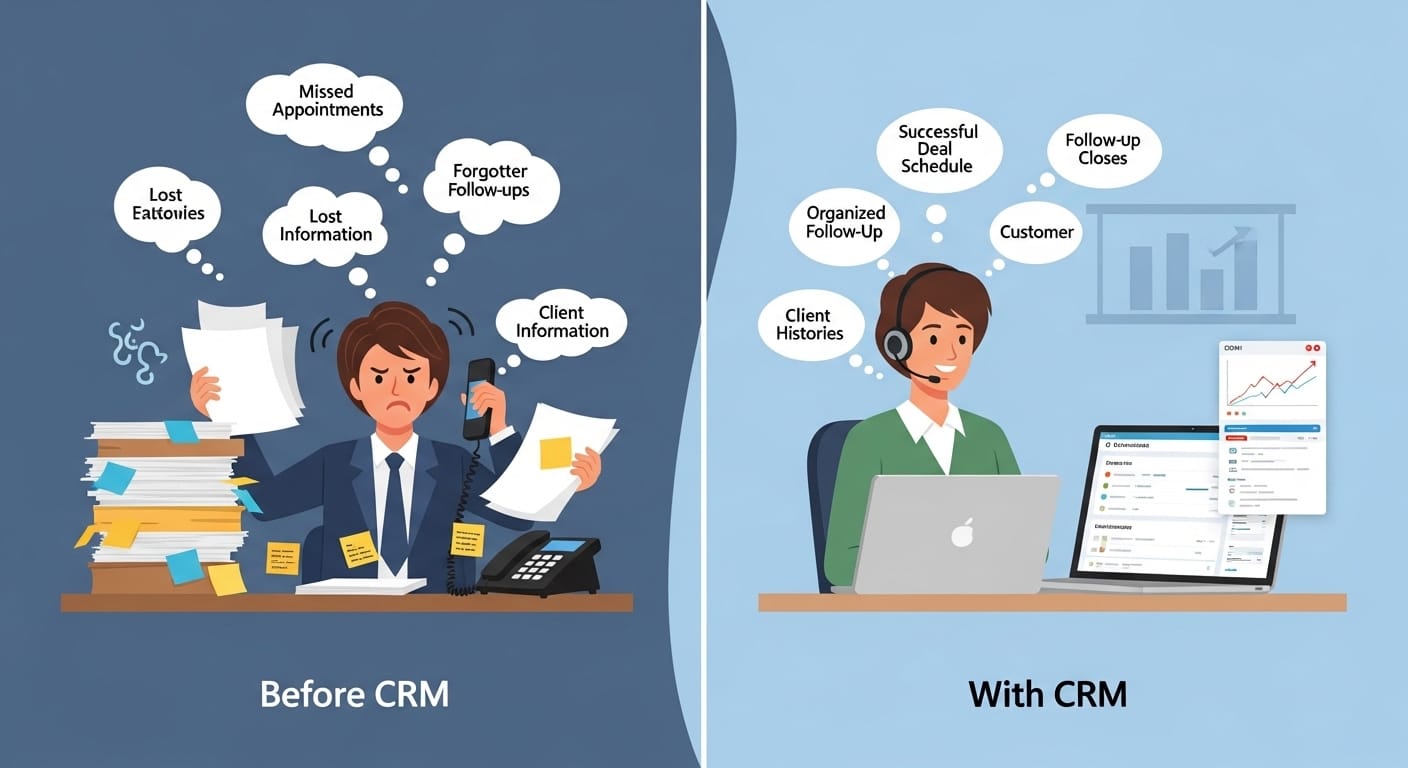
Here's what nobody tells you about sales. It's not the pitch that kills most deals. It's the follow-up. Or rather, the lack of it. Someone fills out your contact form on Monday. By Thursday nobody's replied because the lead notification got buried under thirty other emails. That person already bought from your competitor. I've been on both sides of this and it's painful every time.
A CRM fixes this by putting every single lead in one place. Your team opens one screen and sees who needs attention, who's waiting for a proposal, who went cold two weeks ago. No guessing. No "I thought you were handling that one" conversations. And when your reps know exactly what's going on, they move faster. They push the deals that are close to closing. They don't waste time on dead leads. That's what boosting sales looks like in practice. Not some magic trick. Just people being organized and actually following through.
I think this matters even more if your team is in New York or Dubai. Those markets are fast. The company that responds first usually gets the business. I've read stats saying you're 7x more likely to close a deal if you respond within an hour. A CRM makes that kind of speed possible because everything's already in front of you. You don't have to go looking for it.
Customer service and sales are the same conversation now
Something that bugs me about how a lot of companies operate. They put customer service in one corner and sales in another. Different software, different managers, different KPIs. But like... when someone messages you on Instagram asking if your product works with their existing setup, is that a support question or a sales question? It's both. That person is basically saying "convince me to buy this." And if your support agent doesn't realize that, you just lost a sale.
This is where I think Kuikwit features really clicked for me. The shared inbox means your support people and sales people are reading the same conversations. When a customer who asked a bunch of questions last Tuesday comes back on Friday ready to purchase, the sales rep sees the whole thread. They don't have to say "so what were you looking for again?" That's the kind of thing that makes customers feel taken care of. And people who feel taken care of spend money.
If you're selling to people in Dubai or Abu Dhabi or anywhere in the US really, they expect this. They don't want to explain themselves twice. They don't care which department they're talking to. They just want someone who knows their situation and gives them a straight answer. A CRM that connects customer service and sales makes that happen without you having to think about it.
Kuikwit CRM and what makes it different from the big names
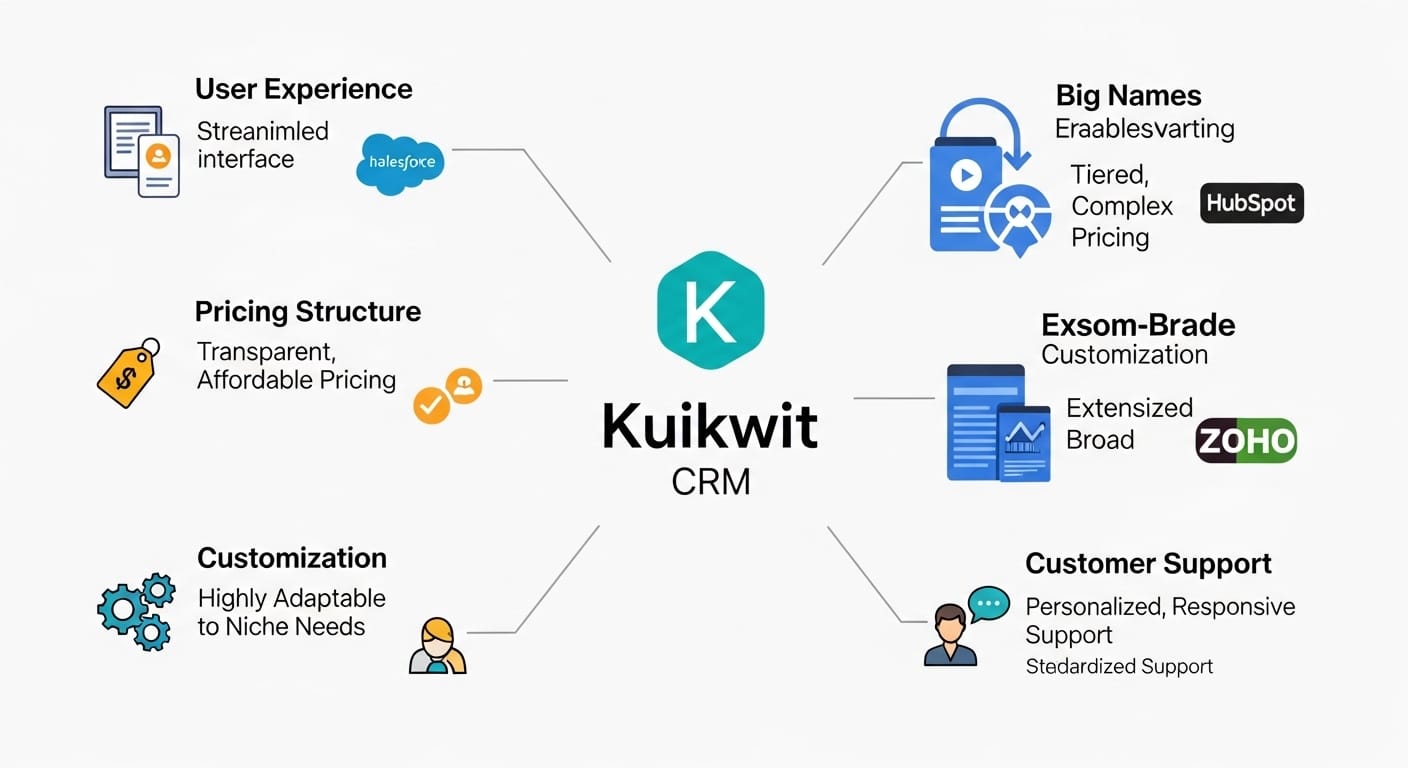
I'll say this upfront. Salesforce is a beast. HubSpot is solid. Zoho is cheap. They all do what they do. But here's my issue with them. Salesforce needs an admin to run it properly. HubSpot gets expensive once you move past the free tier. Zoho works but feels like it was designed by a committee. For growing businesses, freelancers, and small teams, these tools often feel like they were built for someone else.
Kuikwit CRM was clearly built for the people who actually sit in the chair and reply to customers all day. The setup? I'm talking minutes, not weeks. The interface doesn't feel like you need a training course to figure out. And what I find most interesting is how it mixes real-time team collaboration with AI auto-replies. Your team can tag each other inside conversations, leave notes that the customer doesn't see, and route messages to the right person automatically. Agents who focus on improving their typing speed and accuracy can handle even more conversations without breaking a sweat. When everyone goes home for the night? The AI picks up common questions. Nobody's left on read.
This matters a lot for UAE businesses where WhatsApp is basically the default customer channel. And for US companies managing Instagram and Facebook DMs alongside email, having all of that in one place isn't a fancy extra anymore. It's just how things have to work if you want to keep up.
Getting your team to actually use the CRM
Can I be real about something? The biggest CRM problem isn't features. It's adoption. I've watched teams buy a platform, spend two weeks setting it up, and then quietly abandon it. People go back to their email, their sticky notes, their mental lists. It happens because most CRM systems feel like homework. Too many tabs, too many fields to fill, too many "required" dropdowns before you can save anything.
So when you're picking a CRM, forget the feature list for a second and ask yourself: will my team actually open this every morning? If the answer is "probably not," keep looking. Kuikwit works here because it's genuinely simple. Not "simple for a CRM" simple. Actually simple. Clean layout, quick onboarding, and it works on your phone too. Your team can respond to customers while they're on the train to work if they want.
Automation is the other piece. Things like routing new leads to the right rep or sending a welcome message when someone first reaches out, that stuff should run on its own. Kuikwit features include customizable workflows and message templates for exactly this. Less time doing the same task over and over, more time having real conversations. I know that's vague sounding but honestly, the teams I've seen succeed with CRMs are the ones where automation handles the boring parts and the humans handle the thinking parts.
Why you should actually look at your CRM analytics
I'll admit something. I ignored analytics for the first year I used a CRM. Just didn't open that tab. Bad idea. Because I had no clue that our average response time was four hours. Four. Hours. In a market where people expect an answer in fifteen minutes. Once I saw that number, everything changed. We restructured how we assigned leads and cut response time to under forty minutes within a month.
That's why the analytics in your CRM system matter. Not the flashy dashboard stuff. The useful numbers. How fast does each rep respond? Which channel brings in the best leads? Where in your pipeline are people disappearing? Kuikwit has built-in analytics that show you all of this without needing a data person to interpret it. The graphs are clean, the metrics are practical, and you can check them in a couple of minutes.
If you're running a team across time zones, say your office is in New York but you've got clients in Dubai, this becomes even more important. You need to know if your overnight coverage is working. Are AI auto-replies holding conversations together or are people bouncing? Is your UAE rep outperforming the rest of the team? These aren't enterprise-level questions. Any business with a CRM should be asking them every month.
A side-by-side look at popular CRM platforms
I put this table together based on my own experience testing these tools. Take it as a starting point, not gospel.
|
Feature |
Kuikwit |
HubSpot |
Salesforce |
Zoho CRM |
|
Unified inbox |
Yes (multi-channel) |
Limited |
Add-on needed |
Limited |
|
AI auto-replies |
Built-in |
Paid add-on |
Paid add-on |
Basic |
|
Ease of setup |
Minutes |
Moderate |
Complex |
Moderate |
|
24/7 human support |
Yes |
Paid tiers |
Paid tiers |
Paid tiers |
|
Smart routing |
Yes |
Limited |
Yes |
Limited |
|
Pricing |
Affordable |
Free + paid tiers |
Enterprise-level |
Budget-friendly |
|
Mobile access |
Yes |
Yes |
Yes |
Yes |
|
Best for |
SMBs, growing teams |
Mid-size companies |
Large enterprises |
Budget-conscious |
Mistakes I keep seeing people make when picking CRM software
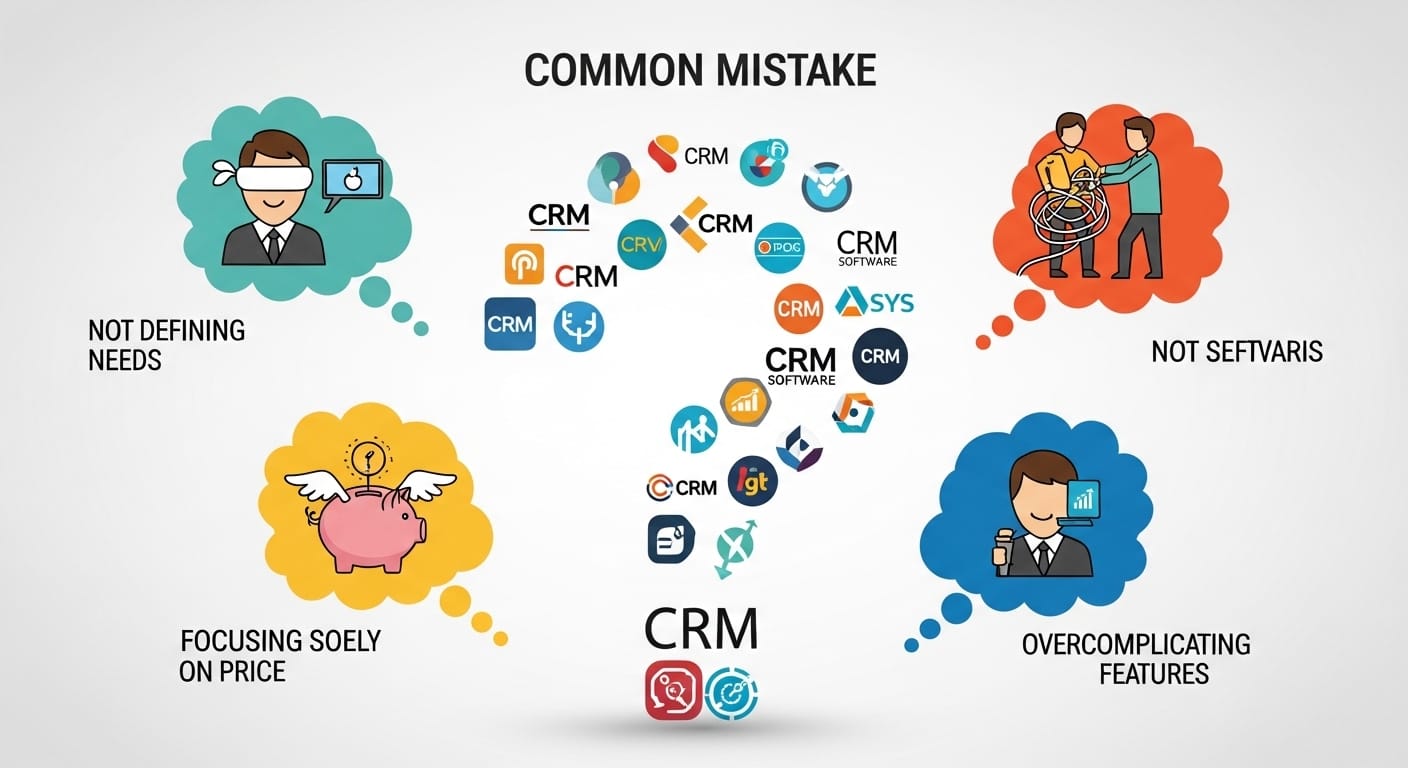
First one. Buying a CRM because your friend's company uses it. Or because you saw it on a "top 10" list. Salesforce is on every list. That doesn't mean it's right for a five-person team running out of a coworking space. It's like buying a semi-truck because you needed a car. Sure, it drives. But it's overkill and you'll hate parking it.
Second one. Not checking whether the CRM supports the channels your customers actually use. If eighty percent of your leads come through WhatsApp, and your CRM doesn't connect to WhatsApp natively, you've got a problem. You'll end up copy-pasting conversations manually or paying for some third-party integration that breaks every time there's an update. Also, watch the pricing. Some platforms show you a great starter price and then charge extra for automation, reporting, extra seats. Before you know it, your bill has tripled. Read the fine print.
Third one, and this might be the most common. Not asking your team. The people who are going to use this thing every single day should get a vote. I've seen managers pick a CRM based on a demo, sign a yearly contract, and then the sales reps refuse to use it because it takes too many clicks to log a call. Kuikwit sidesteps most of these problems because it comes with everything included. Multi-channel, AI replies, analytics, team tools. No surprise charges six months in.
Security and protecting customer data in your CRM
This one doesn't come up enough and it should. Every customer name, email, phone number, and purchase record sitting in your CRM is your responsibility. If that data gets leaked, it's your problem. Not the CRM vendor's. Yours. And with privacy regulations getting stricter in both the US and UAE, you can't just shrug this off.
At minimum, your CRM needs end-to-end encryption. Not as some add-on you pay extra for. Kuikwit has encryption and compliance baked in from the start. Whether a customer is chatting with you on WhatsApp or sending an email, those conversations are encrypted. If you're doing business across borders, like a marketing agency in Abu Dhabi working with US clients, you really need to make sure your CRM can handle data protection at that level. I'd say if you ask a CRM vendor how they handle security and they give you a vague answer, walk away. That tells you everything.
How Kuikwit features play out in a real sales week

Let me give you a scenario from last month. A potential customer messaged one of my test accounts on Instagram. Asked about pricing. Kuikwit pulled it into the inbox, routed it to the team member who handles pricing, and she replied in about four minutes. She used a saved template with the pricing breakdown and offered a call. Quick, clean.
That night, same person hit us up on WhatsApp. Nobody was online. But the AI auto-reply picked it up, confirmed the call time for the next morning, and answered two questions about features. When the rep logged in the next day, the entire thread was right there. Instagram message, WhatsApp follow-up, AI responses, all in one view. She didn't have to piece anything together. Just picked up where the conversation left off. The lead converted within the week.
That's Kuikwit features in action. Not theoretical. Not a feature list on a website. Actual workflow that closes deals. The team collaboration piece means nothing gets missed. The analytics tell you what's working. And the automation keeps things moving when humans aren't available. For any business trying to get serious about boosting sales, I don't know what more you'd want from a CRM.
So where does that leave you
Look. Picking a CRM isn't supposed to be a months-long ordeal. Talk to your team. Figure out where leads are falling through. Check which channels your customers prefer. Then find something that handles all of that without making everyone miserable.
If WhatsApp, Instagram, or Facebook are big channels for your business, Kuikwit is built around exactly that. It's not trying to be Salesforce. It's trying to be the CRM that your team actually uses every day. Multi-channel inbox, mobile friendly, AI that fills the gaps when your people are offline. In the US and UAE where every minute counts, that kind of setup gives you an edge.
Try a couple options. See which one your reps actually like. Go with that. That's the whole strategy, honestly.
Frequently asked questions
What's the best CRM for a small business?
The honest answer is the one your team will actually use. It should be easy to set up, affordable, and support the channels where your customers talk to you. Kuikwit fits that description. Multi-channel inbox, AI replies, team collaboration, no IT team required. For teams under twenty people, that's usually enough.
How does a CRM help with boosting sales?
Organization, mostly. You can see every lead in one place, know exactly when to follow up, and focus on the deals that are actually going somewhere. CRMs also automate stuff like lead assignment and follow-up reminders. That means your reps spend less time doing admin and more time in real conversations with buyers.
What's the difference between CRM software and a CRM system?
CRM software is the app. Kuikwit, HubSpot, Salesforce, those are software. A CRM system is bigger than that. It includes the software plus your processes, your team's habits, your workflows, your goals. Think of the software as one piece of the puzzle. The system is the whole picture.
Can Kuikwit handle both customer service and sales?
Yeah, and that's one of the main reasons I think it works well. Since the inbox is shared, your support and sales teams see the same conversations. When a support chat turns into a buying opportunity, the rep already has context. No awkward handoffs, no repeated explanations. Smooth.
Does Kuikwit work for businesses in the UAE?
Definitely. WhatsApp is huge for business communication in the UAE and Kuikwit connects to it natively. Same with Instagram, Facebook, email, and live chat. If you're a UAE company dealing with customers across those channels, having them all in one inbox keeps things manageable. Response times stay low, customers stay happy.
How much does CRM software usually cost?
It's all over the place. Salesforce runs hundreds per user per month. HubSpot starts free but gets pricey when you add features. Kuikwit goes for a more affordable flat rate where the core stuff, AI replies, analytics, multi-channel support, team tools, is all included. No per-feature charges popping up later.
What messaging channels work with Kuikwit?
WhatsApp, Facebook Messenger, Instagram DMs, email, and live chat. Everything goes into one inbox so your team doesn't bounce between apps all day. If your business gets messages from more than one platform, and let's be real, whose doesn't, it makes life way easier.
Do I need tech skills to set up Kuikwit?
Nope. Setup takes a few minutes. The interface is clean and self-explanatory. No coding, no IT department required. It was made for business owners and team leads who want to get going fast without dealing with configuration headaches.
How do the AI auto-replies actually work?
When someone messages you outside working hours or asks a question that gets asked a lot, Kuikwit's AI replies with a relevant answer right away. It's not trying to replace your people. It holds the conversation so the customer doesn't feel ignored. When your agent logs back in, they pick up from where the AI left off. Pretty seamless in practice.
What makes Kuikwit different from other CRM platforms?
Most CRMs treat messaging like an afterthought. You get a contact database and then you have to bolt on integrations for WhatsApp, for Instagram, for live chat. Kuikwit built the whole thing around multi-channel communication from the start. Unified inbox, smart routing, AI replies, collaboration tools, it all works together out of the box. It's priced for growing teams, sets up in minutes, and has real human support around the clock. For businesses stuck between spreadsheets and Salesforce, it fills that gap really well.