Kuikwit Pricing Comparison: Save Money on Support 2026
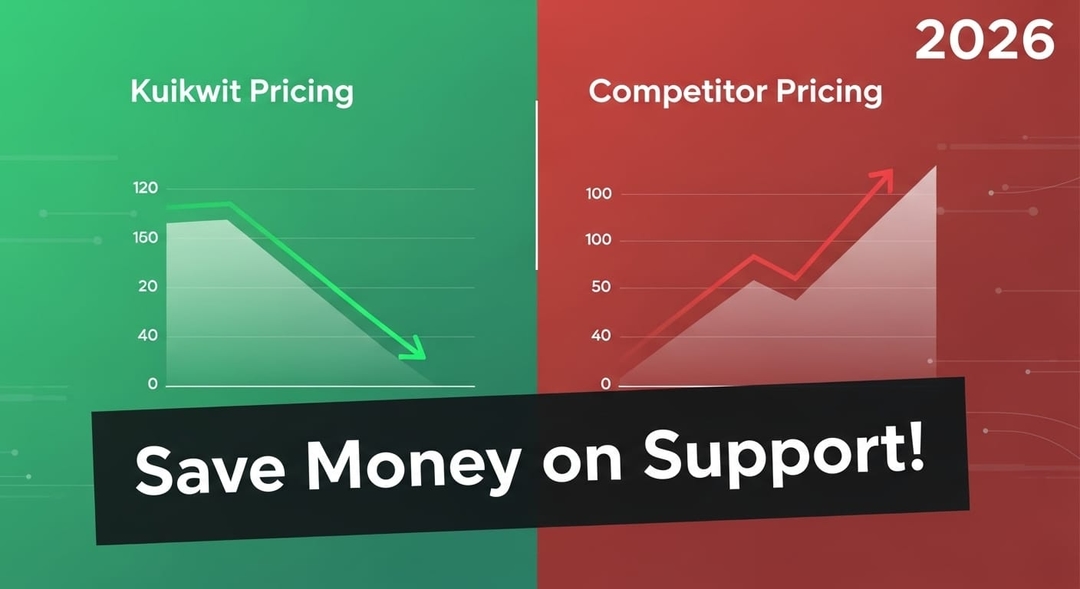
Looking for affordable customer support software? Kuikwit starts at just $10/month with multi-channel support. This pricing comparison shows how Kuikwit saves you thousands compared to Zendesk, Freshdesk, and Intercom. No hidden fees, no surprise charges.
Tag:
Published:
2 hours ago
Updated:
2 hours ago
Reading_time:
10 min read
Understanding C...
Kuikwit Pricing...
How Kuikwit Sta...
Zendesk vs Kuik...
Intercom Pricin...
Tidio vs Kuikwi...
Beeper vs Kuikw...
Respond.io Pric...
Real Talk: What...
The 14-Day Free...
Which Plan Shou...
Why Kuikwit Win...
One More Thing ...
FAQs About Cust...
Tag:
Published:
2 hours ago
Updated:
2 hours ago
Reading_time:
10 min read
Look, you're shopping for a customer support tool. I get it. There's like a million options out there. Freshdesk keeps showing up in your search results. Then you see Zendesk. Intercom. Tidio. Everyone's saying they're cheap. Everyone's saying they're the best. It's actually maddening trying to figure out what to pick.
Here's what I did—I spent probably way too much time looking at actual pricing. Not the marketing fluff. The real numbers. The stuff you actually pay when you sign up. Because cheap and actually getting what you pay for? Those are two totally different things. Gonna break it all down for you right now.
Understanding Customer Support Platform Pricing Models
Okay so first thing. How do these platforms actually charge money? Because it matters. Like, a lot.
Most platforms go per agent per month. You got three people handling customer chats? You're paying for three people. Some places have flat fees. Some are per conversation. Some want money for every channel you plug in. It's all over the place. That's why people get those surprise bills. They think they know what they're paying and then boom—extra charges showing up for things they didn't realize cost money.
Kuikwit though? They just tell you the price. Per person. What you get at each level. That's it. No weird gotchas. I've literally seen companies get hit with thousands in unexpected charges because they didn't realize phone support was a separate add-on or something. Not Kuikwit. That's kind of refreshing actually.
Kuikwit Pricing Breakdown: What You Actually Get
Alright so let me just walk through what each tier actually gets you. Because that's where you see the real value.
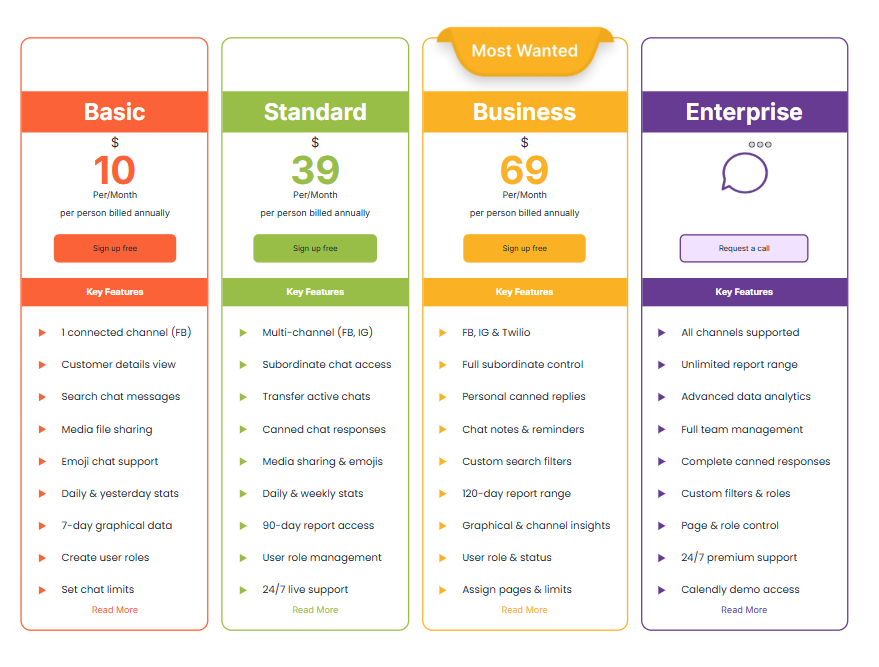
Basic Plan: $10 Per Month Per Person
Ten bucks. Per person. That's basically a coffee. For that you get Facebook messaging, you can see customer details, search messages, share files, use emojis in chats. You get basic stats. Can set up different user roles and limit who sees what.
Is it minimal? Yeah. But if you're tiny or just testing this out? It's fine. It's like $120 a year per person. That's nothing. You're not making some huge commitment while you figure out if this works for you. Want the full breakdown? Check out the detailed pricing page to see exactly what each tier includes.
Standard Plan: $39 Per Month Per Person
This is where things actually get interesting. Thirty-nine dollars and now you've got Facebook AND Instagram. You can set subordinate access so different team members have different permissions. Transfer chats between people. Use canned responses to speed things up. 24/7 live support. That's honestly clutch when something breaks at 2am.
Ninety days of data instead of like a week. You can actually see what's happening with your customers over time. This is probably where most small businesses should be if they're serious about customer support. See all the Standard Plan features and how they can improve your support workflow.
Business Plan: $69 Per Month Per Person
Sixty-nine gets you SMS through Twilio. Voice stuff. So now you're handling text messages AND calls plus social media. Full subordinate control for your team. Custom search filters. 120 days of data. Better reports. Graphical stuff to look at.
You're handling actual customer service at this point. Not just chatting. Real omnichannel stuff. Explore all the channels you can connect and manage from one dashboard.
Enterprise Plan: Custom Pricing
They've got an Enterprise thing but you gotta call them for pricing. All channels. Unlimited access. Custom integrations probably. Enterprise stuff. Fine.
But honestly for like 99% of businesses reading this, you don't need Enterprise.
How Kuikwit Stacks Up Against Freshdesk Pricing
Freshdesk. Everyone uses Freshdesk. It's like the default choice people make. So let's compare.
They start at $14 per month per agent. That's four dollars more than Kuikwit Basic. Sounds like whatever right? But wait. At $14 you're getting like basic ticket management. Not the omnichannel stuff. Kuikwit at $10 is already handling Facebook.
Move up to Freshdesk Standard at $59. That's twenty bucks more than Kuikwit Standard at $39. And you still don't get what Kuikwit offers. Freshdesk wants you to add phone support separately. Extra cost. Kuikwit? Phone support is built into the Business plan. Already included.
Do some quick math. Five person team. A year of Freshdesk Standard is like $3,540. Kuikwit Business for the same people? $4,140. Okay so Freshdesk is cheaper there. But at Freshdesk's level you're missing features Kuikwit includes. Really it's not an apples to apples thing.
What I'm saying is—the pricing comparison gets weird fast. You can't just look at the headline number.
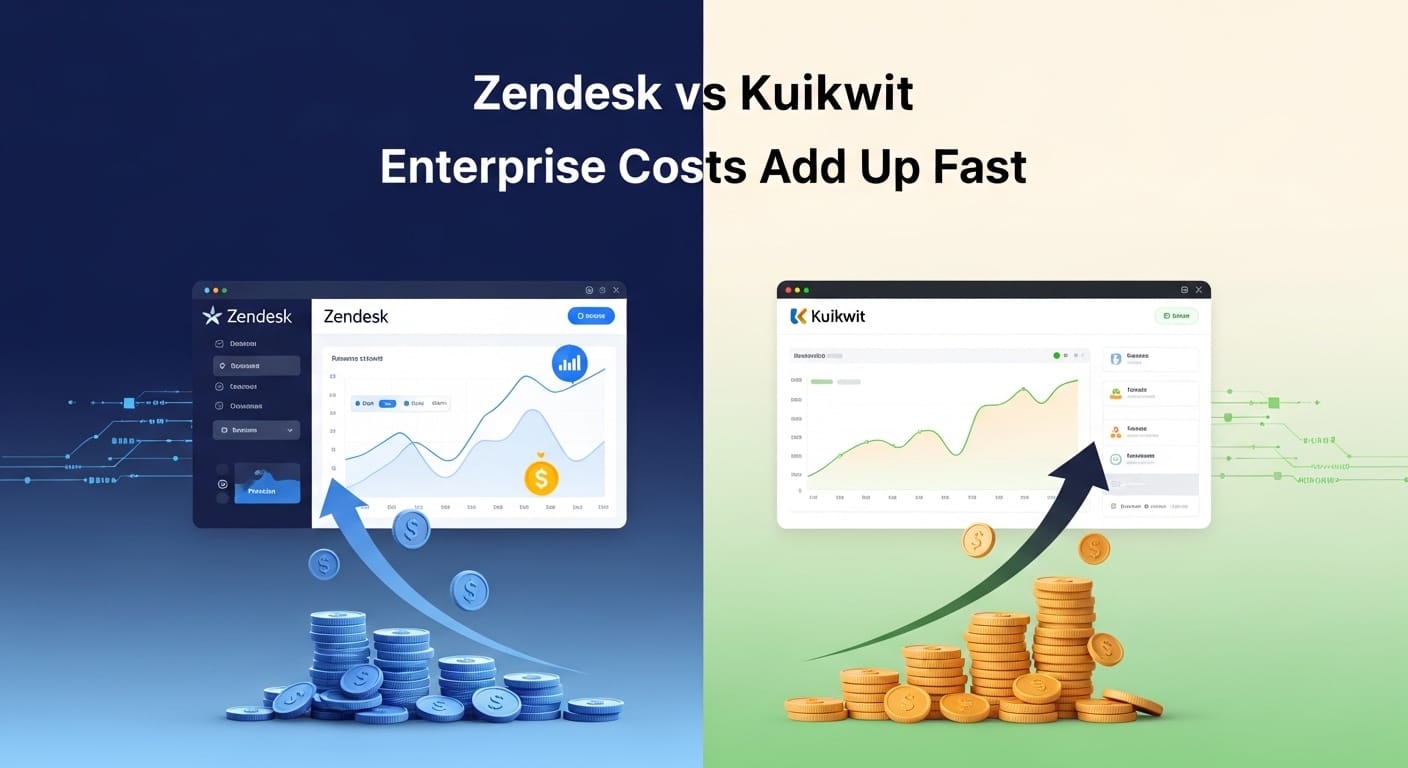
Zendesk vs Kuikwit: Enterprise Costs Add Up Fast
Zendesk. Man. Zendesk is expensive. Like really expensive. They start around $55 per agent. But that's just the beginning.
You need phone support? Extra. Advanced automation? Extra. Custom fields? Extra. It's like they're nickel and diming you for everything. Every single thing costs money.
I actually looked up a Zendesk setup for eight people who need omnichannel stuff with automation. Real setup. The quote? Almost eight grand a month. That's insane.
Same setup in Kuikwit? Eight people at $69 each with the Business plan. That's $5,520 a year. Not per month. Per year.
Do the math. That's like $46,000 a year difference. That's a whole person you could hire. That's serious money. That's not some tiny difference.
Zendesk is built for big companies that don't really care about the bill. They're expensive and they know it. But if you're actually looking at your budget? It becomes really hard to justify paying that much.
Intercom Pricing: Where Personal Touches Get Pricey
Intercom. They market themselves as the fancy option. Modern. Sleek. The product actually looks nice. I'll give them that.
Their pricing though? It's based on seats and conversation volume. So you're paying for people AND based on how many chats you handle per month. The minimum is like $39 but then it scales up.
Here's the real talk—Intercom is nice. The messaging experience is smooth. The UI is pretty. But you're paying for all that polish. You're paying for the brand name. For features you might not even use.
Honestly if all you need is basic omnichannel support with reporting and team stuff, Kuikwit gives you like 90 percent of what Intercom does for way less money. Intercom is good if you're doing heavy in-app messaging and converting website visitors. That's their strength. But if that's not your main thing? You're overpaying for a pretty interface.
Tidio vs Kuikwit: The E-Commerce Wild Card
Tidio. These guys market hard to Shopify stores and e-commerce businesses. They've got integrations and everything. Pricing starts at $29 then goes up to like $749 depending on the plan.
But here's the thing—that $29 plan is basically a chatbot. You don't get actual humans handling your chats at that price. Once you want real people? You're jumping to like $99 or more.
Tidio and Kuikwit are actually different animals. Tidio is automation-first. Kuikwit is human-first. If you're an e-commerce store and you want bots to handle 80 percent of common questions? Maybe Tidio works. But if you want real human customer support across multiple platforms? Kuikwit just makes more sense.
Beeper vs Kuikwit: Different CRMs, Different Pricing
Beeper is like—it's not even really a competitor. It's a consumer tool. Lets you manage your personal WhatsApp, Telegram, Signal all in one place. Premium is like $10 a month for personal use.
That's not business customer support. That's just consolidating your personal messages. Totally different thing. It's like comparing a personal wallet to a business accounting system. Sure one's cheaper but they don't do the same thing.
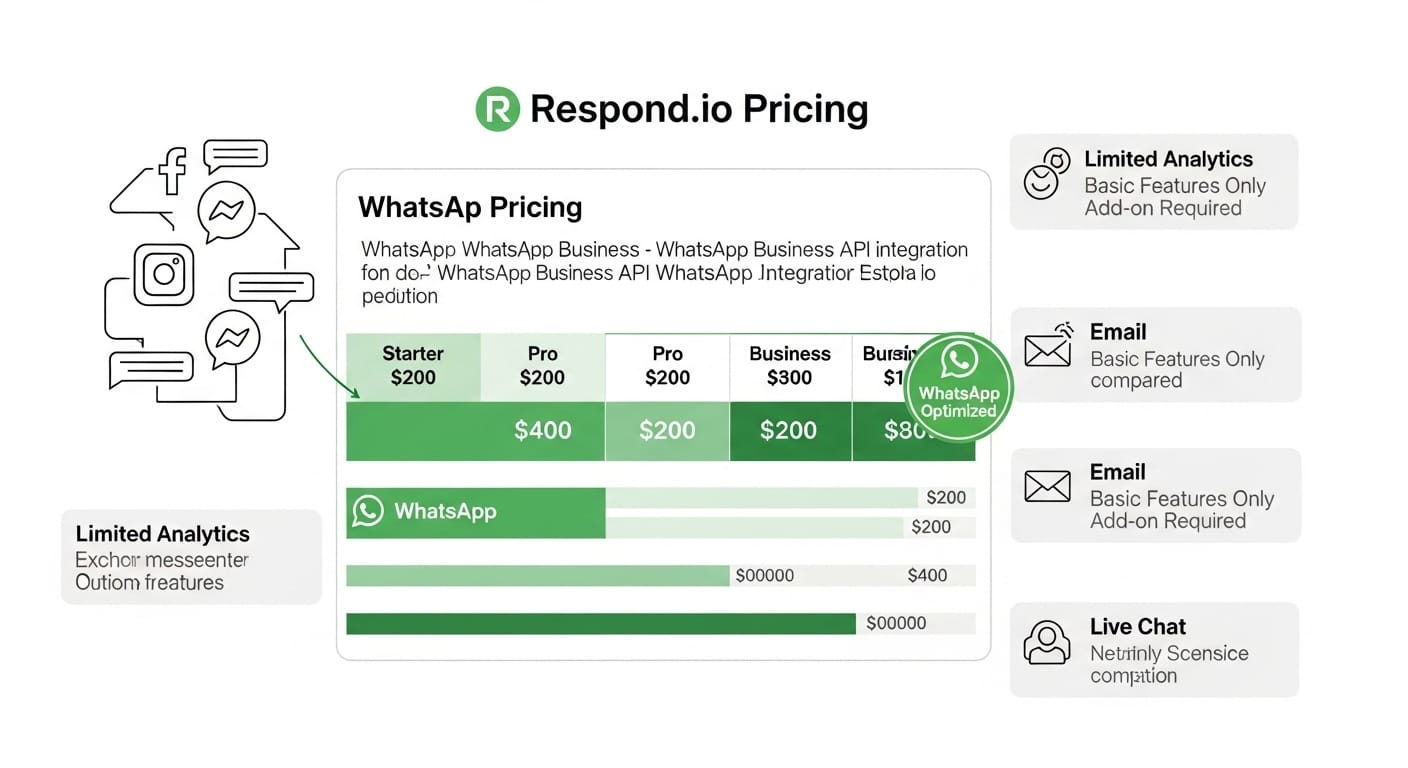
Respond.io Pricing: WhatsApp-Focused but Limited Beyond That
Respond.io starts around $25. They're really good at WhatsApp. Like specifically WhatsApp. That's their thing.
But most businesses need more than just WhatsApp. You need Facebook. Instagram. Email. Maybe SMS. Respond.io can do some of it but it feels kinda tacked on. Like they built something for WhatsApp and then tried to add other stuff later.
Kuikwit does all the channels with equal quality. They're not just WhatsApp with Facebook bolted on. Everything feels integrated from the ground up.
Pricing Comparison Table
Platform
Basic
Tier
Price/Month
Multi-Channel
24/7
Support
Annual
(5 Users)
Kuikwit Basic
Facebook only
$10
Limited
No
$600
Kuikwit Standard
FB + Instagram
$39
Yes
24/7
$2,340
Kuikwit Business
+Twilio/SMS
$69
Yes
24/7
$4,140
Freshdesk Basic
Basic
$14
Limited
No
$840
Zendesk Support
Basic
$55+
Limited
Extra
$3,300+
Intercom Starter
Starter
$39+
Partial
Add-on
$2,340+
Real Talk: What Hidden Costs Actually Look Like
Nobody really talks about this enough. When you're comparing software, you gotta think about setup time. Training. All those little add-ons that nobody mentions upfront.
Freshdesk? Setup can take time. You might need someone technical to get integrations working right. Zendesk? Even worse. Their setup process is like a nightmare if you're not super technical.
Intercom has this learning curve where it takes weeks to actually get good at using it. Your team will be frustrated for a bit.
Kuikwit just works. Literally less than a minute to set up. I know that sounds like marketing talk but it's actually true. For small teams that don't have a dedicated IT person, this actually matters a ton. You need something that works immediately. Not something you're tweaking for three weeks.
And that's worth something. That's worth real money because your team can actually start helping customers right away instead of learning software for two months.
The 14-Day Free Trial: Actually Test Before You Commit
I actually like that Kuikwit gives you a full two weeks to try it. Fourteen days. You're not flying blind. You get to use the actual platform with real features. Not some gimped demo version.
Some companies give you a trial but it's basically a shell. Kuikwit lets you actually do everything. That matters because sometimes software looks good on paper but your team hates actually using it. A real trial lets you figure that out before you commit money.
Ready to test it yourself? Start your free 14-day trial and see why so many businesses are switching.
Which Plan Should You Actually Pick?
Real honest answer? Most small businesses should start with the Standard Plan. Thirty-nine bucks per person per month.
Why? You're getting multi-channel support. The 24/7 live support is genuinely useful when things break. You can see ninety days of data which actually tells you something about what's happening.
It's the sweet spot. Real features. Not overspending. Not under-featured either.
If you're handling phone calls or SMS? Jump to Business at $69. It's worth it.
Tiny operation just starting? Basic works fine. But you'll probably grow out of it pretty fast.
Enterprise? Nah. If you're reading a blog post to figure out pricing you don't need Enterprise yet.
Why Kuikwit Wins on Value
Alright so here's the thing. After digging through all this pricing stuff, Kuikwit just makes sense from a value perspective.
They didn't design their pricing to squeeze every dollar out of customers. It feels like they actually thought about what small businesses need and priced it accordingly.
Basic is cheap. You can try it out. Standard has real features without breaking the bank. Business adds voice and SMS without jumping to crazy enterprise pricing. And they're not hiding features behind some "contact sales" wall. Just Enterprise. That's it. That's reasonable.
Compare that to Zendesk where everything's an add-on or Intercom where you're basically paying for a pretty UI, and Kuikwit's approach just feels smarter. Want to learn more about how better support tools improve customer experience? Read our guide on improving customer experience with messaging tools.
One More Thing About Customer Support Costs
Here's something people don't think about enough. Your support platform isn't just an expense. It's an investment. Better support means faster response times. Happier customers. Fewer people asking for refunds.
When you're comparing Kuikwit at $39 versus Zendesk at $75 plus a bunch of add-ons, you're not just choosing the cheaper tool. You're choosing one that lets you actually deliver good support without your software costs eating into profit.
That actually matters. Seriously.
FAQs About Customer Support Platform Pricing
What is the real cost difference between Kuikwit and Zendesk for a team of 10 people?
Kuikwit Standard for 10 people is $4,680 per year. Zendesk with similar features is going to run you $8,800 to $12,000 depending on what add-ons you need. You're saving like $4,000 to $7,000 annually. That's real money.
Is Kuikwit's pricing comparison better than Freshdesk when scaling up?
Yeah actually. Freshdesk's pricing jumps around a lot as you scale. Kuikwit just stays the same per person no matter if you have 3 people or 300. Makes scaling way more predictable.
Does Kuikwit's pricing include all the channels my business needs?
Depends. Basic is Facebook only. Standard adds Instagram. Business adds SMS stuff through Twilio. So most businesses land on Standard or Business. Other platforms charge separately for each channel so honestly Kuikwit is cheaper because they include it.
What hidden fees should I watch out for in customer support software pricing?
Watch for phone support being extra. Advanced reports costing money. Custom integrations. API access. White-label options. Those are the things that sneak up on you. Kuikwit includes live support at Standard so you're not paying extra for that.
Is the 14-day free trial enough to actually test Kuikwit?
Two weeks is plenty honestly. You can get your whole team set up. Import data. Connect your channels. Do some actual customer conversations. You'll know in two weeks if it works for you or not.
Look at the pricing. Do your own math. Try the free trial. But based on what I've looked at, Kuikwit just makes more financial sense for most growing businesses. The numbers don't lie.
Need help getting started? Check out our Kuikwit tutorials to master the platform once you sign up.
Secure and Reliable
Easy to use dashboard. Keep your worries aside! Have faith in Kuikwit’s strong security measures to keep your talks confidential while ensuring its data is not misplaced.