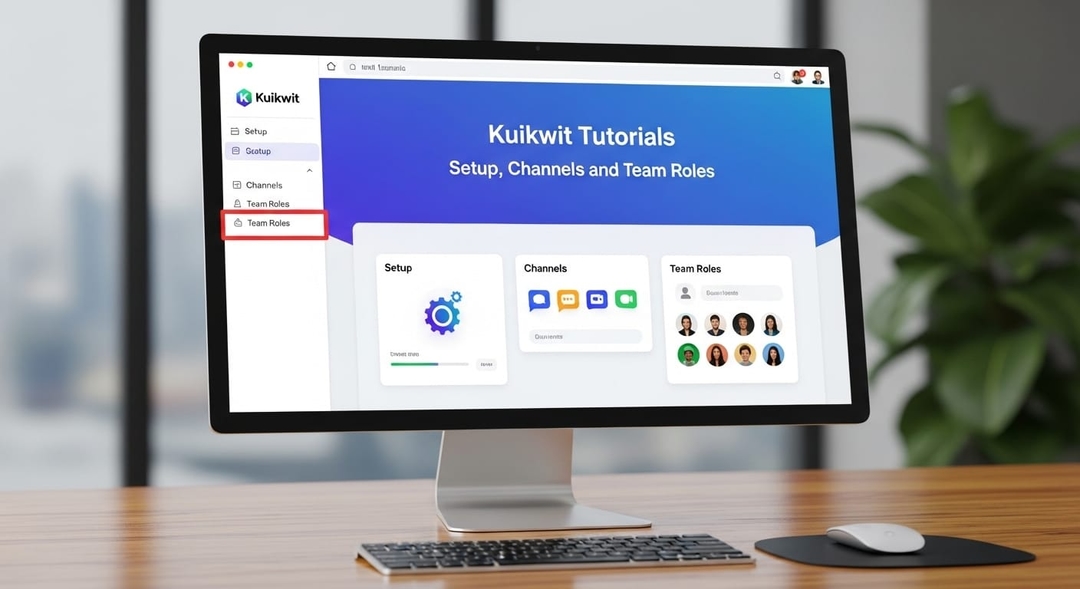
These Kuikwit tutorials cover everything from first login to team workflows. Connect WhatsApp, Facebook and Instagram, set up roles, build your template library, and start handling customer conversations the same day you sign up.
Tag:
Published:
2 hours ago
Updated:
2 hours ago
Reading_time:
10 min read
How the Platfor...
The Sign-Up Pro...
Inviting Your T...
The Kuikwit Tut...
Mistakes That S...
Full FAQ — Ques...
That's the Hone...
Tag:
Published:
2 hours ago
Updated:
2 hours ago
Reading_time:
10 min read
Setting up a new support tool usually means a whole afternoon lost to documentation nobody actually wrote well. Kuikwit is different — not in a marketing-copy way, but genuinely. The onboarding takes minutes, not hours. These tutorials cover the real setup process, the team features worth knowing early, and the mistakes most people make in the first week.
Question
Short Answer
What is
Kuikwit?
A unified
inbox that pulls WhatsApp, Facebook, Instagram and other channels into one
dashboard for your whole team.
Is it
worth it for a small team?
Yes —
it's one of the few tools that doesn't punish small teams with a complicated
setup or expensive entry tier.
How does
the setup actually work?
Sign up,
connect your channels through guided steps, invite your team, and you're
managing conversations.
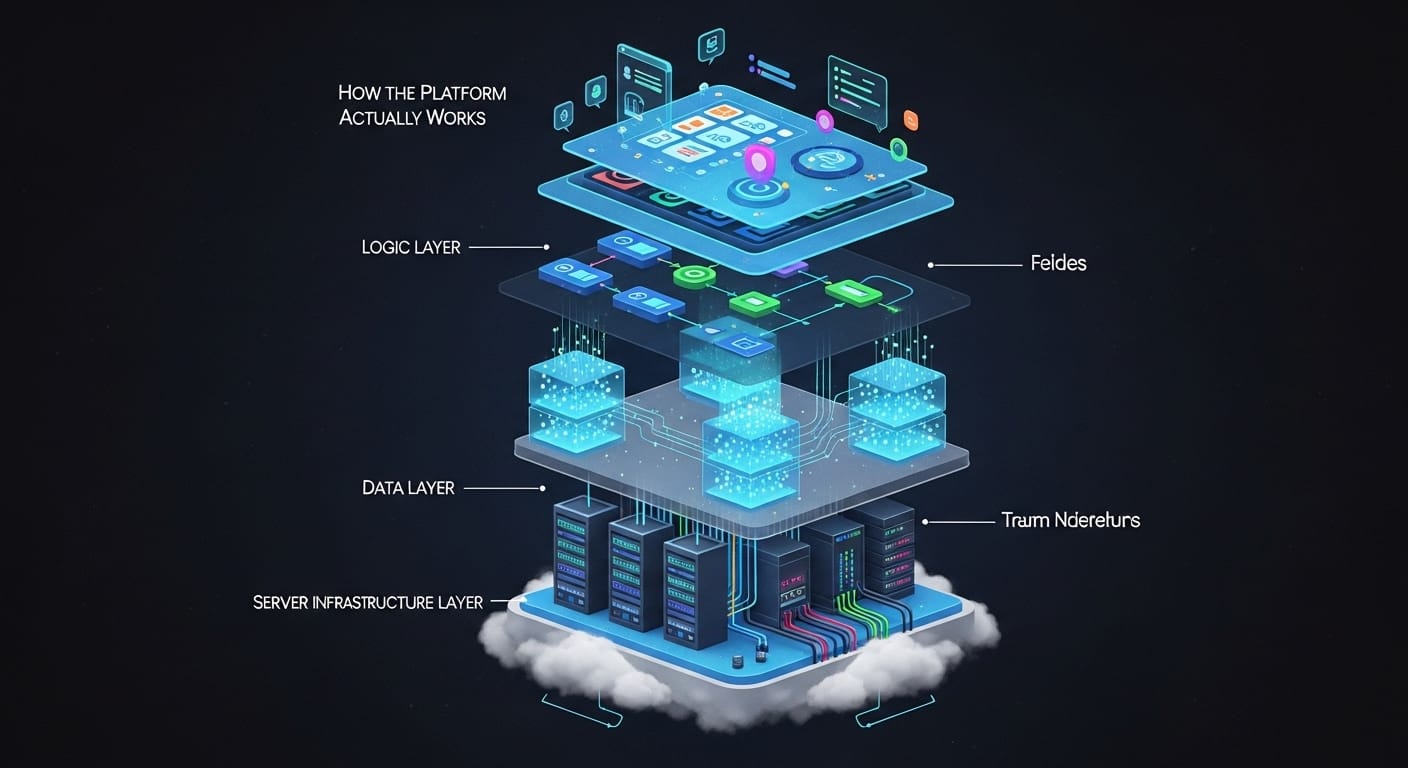
How the Platform Actually Works — Before You Touch Anything
Here's what Kuikwit actually does at its core: it takes every message coming into your business — from WhatsApp, Facebook, Instagram, and other channels — and puts them all in one place. One screen. One inbox. Your agents don't flip between apps anymore. That's it. Simple in theory, and it works the same way in practice.
It's worth understanding that Kuikwit sits beyond what a standard CRM does. It's a unified communication tool — which means it's built around conversations first, not contact records. The distinction matters when you're deciding how to set it up and what to expect from it day-to-day.
The technical side of it runs on a real-time sync, so there's no refresh button, no delayed messages. When a customer sends something on WhatsApp at 9am, it shows up in the dashboard at 9am. Same for Facebook DMs, Instagram messages, whatever you've got connected. And because everything lives in one place, agents can see the full message history for a customer regardless of which channel that customer used last time. That context — knowing what was said before — changes how your team responds. Less time asking 'can you remind me of your order number,' more time actually helping.
Multi-device access is something that sounds like a footnote but isn't. An agent can start a conversation on their laptop, leave the office, and pick it up on their phone without missing anything. The conversation state, the internal notes, the history — all of it travels with them. For teams spread across locations, or anyone with a mix of remote and in-office staff, this is less of a feature and more of a basic requirement that Kuikwit handles well.
The Sign-Up Process and Connecting Your Channels
Start at kuikwit.com. The registration takes about two minutes. Name, email, business details — nothing unusual. Once you're in, the platform guides you through connecting your first channel straight away. It doesn't drop you on a blank dashboard and expect you to find your way. The guided setup tells you what to do next, which makes a real difference if you're setting this up under time pressure.
WhatsApp Business API is the one that takes the most attention. Not because Kuikwit makes it complicated — they don't — but because WhatsApp's own verification process through Meta takes a bit of back-and-forth. Facebook and Instagram are faster. If you want a step-by-step walkthrough for connecting Facebook to Kuikwit, there's a dedicated guide that covers the 2026 process in full. Once that connection is live, the channel appears in your dashboard and messages start coming through immediately.
One thing worth doing immediately after connecting channels: rename them. Kuikwit lets you label each channel inside the dashboard. So instead of 'WhatsApp Number 1,' it becomes 'UAE Customer Line' or 'US Support — WhatsApp.' When you're managing six channels and volume picks up, those labels are what keeps your team from replying on the wrong one. Takes three minutes. Saves real mistakes later.
Inviting Your Team and Setting Up Roles Properly
Once the channels are live, get your team in. Invitations go out by email from the dashboard — you type in an address, assign a role, send. They click the link, set a password, and they're in. No IT department required. The role structure is worth thinking about before you start sending invites though. Kuikwit splits access between agents and managers. Agents handle conversations. Managers assign chats, access reporting, and see the full team view.
The mistake most people make here is inviting everyone as an agent and sorting out permissions later. That works, technically, but then you have three people trying to figure out who's supposed to assign conversations while customers are waiting. Set your manager roles first — even if it's just one person — so there's someone with the right access on day one. It's a five-minute decision that affects how the first week runs.
Chat assignment is the feature that makes team management actually work at scale. Instead of agents grabbing whatever message shows up first, a manager can route specific conversations to specific people. Technical questions go to the technical agent. High-priority customers go to senior staff. Complaints about a specific order get routed to whoever handled that order. The assignment feature isn't complicated to use, but it requires someone thinking about the logic before you go live — not after.
The Kuikwit Tutorials Most Teams Skip — But Shouldn't
The official support library is there and it's solid. But the features people learn slowest are the ones that don't feel urgent on day one — templates, internal notes, automation rules. There are also some 2026 features most teams overlook entirely that are worth knowing before you build your workflow around older defaults. These are also the features that save the most time once you actually use them.
Templates are the easiest win. You build a library of standard responses for the questions your team gets over and over again. Refund policy, delivery time, contact number, business hours — all of it written once, saved, and retrievable in two clicks. Your agents stop rewriting the same answer twelve times a day. Customers get consistent, accurate responses regardless of who's on shift.
Internal notes are underused at almost every team that sets up Kuikwit. They're private comments inside a conversation thread — only your team sees them, the customer never does. An agent can flag something for a colleague: 'This customer has called three times about the same issue — check ticket #44.' Or leave context before going offline: 'Customer is waiting for a callback, said morning is best.' The next agent picks it up and already knows the situation. That's the kind of handoff communication that normally happens on the side in a separate chat app. Having it built into the conversation keeps everything in one place and nothing gets lost.
The automation rules and quick reply settings are worth a dedicated session. Not a ten-minute scan — actually sitting down with the tutorials for those features and thinking about your specific workflow. Which questions can be answered with an auto-reply? Which channels should route to which teams? Which hours trigger an out-of-office response? These aren't hard to configure, but they require knowing your own operation well enough to make sensible decisions. Most teams skip this in week one and wish they hadn't by week three.
How Kuikwit Compares to Other Shared Inbox Tools
Feature
Kuikwit
Freshdesk
Tidio
Intercom
Initial
setup time
Under 10
minutes
30–60
minutes
15–30
minutes
1–2 hours
WhatsApp
(native)
Yes
Via
third-party
Limited
Via
third-party
Unified
multi-channel inbox
Yes
Yes
Partial
Yes
Internal
notes
Yes
Yes
No
Yes
Full
mobile access
Yes
Yes
Limited
Yes
24/7 live
support
Yes
Paid
plans only
Business
hours
Paid
plans only
No
technical setup needed
Yes
Partial
Yes
No
Mistakes That Slow Teams Down in the First Two Weeks
Skipping the template library is the big one. Teams go live without it, agents start improvising answers under pressure, and the responses customers get vary depending on who's on that day. It's not a disaster, but it's fixable before it starts. Spend 30 minutes building 15 to 20 core templates before your first conversation. Policy responses, greetings, follow-up messages — whatever comes up most. You'll update them over time, but having something in place from day one is a lot better than retrofitting later.
The second one is not testing the setup before going public. Kuikwit makes this easy — send a test message to your connected WhatsApp number, post something to your Facebook page, check that it lands in the unified inbox, confirm the right agent can see it and reply. That takes ten minutes. Without it, the first time you find out something isn't routing correctly is when a real customer is waiting. Not ideal.
And the reporting dashboard. Most people open it on day one, see that there's not much data yet, and don't go back for weeks. That's a missed opportunity. The reporting builds over time — volume by channel, response times, agent activity. If you're thinking about how Kuikwit fits alongside a CRM in your stack, this guide on choosing the right CRM for sales is worth reading before you lock in your setup. Managing on gut feel when data is available is a habit that costs more the longer it runs.
Kuikwit Setup Checklist — First 48 Hours
Task
Priority
Time Needed
Create
account at kuikwit.com
Essential
2 mins
Connect
all messaging channels
Essential
5–20 mins
Label
each channel clearly
High
3 mins
Assign
manager and agent roles
High
5 mins
Build
15–20 core templates
High
25–30
mins
Invite
all team members
Essential
5 mins
Send test
message across each channel
High
10 mins
Review
automation/quick reply options
Medium
20–30
mins
Check
reporting dashboard baseline
Medium
5 mins
Security Basics — What's Covered and What's On You
Customer data on Kuikwit is end-to-end encrypted. That's not a setting you need to switch on — it's how the platform operates by default. For most businesses, especially those handling personal details, payment references, or anything under GDPR or UAE data protection frameworks, this baseline matters. You don't need to configure it. It's there.
What the platform can't do is decide your internal data practices for you. Who can export conversation logs? What happens when an agent leaves the team and their account is removed? Do your agents know not to paste customer data into external tools? These are decisions your team makes, not Kuikwit. The platform gives you the controls — role-based access, activity visibility, account management — but how you use them is up to whoever's running the account. Worth having a quick internal conversation about data hygiene before you go live, especially if you're in a regulated industry.
Full FAQ — Questions Teams Actually Ask
1. Do I need technical knowledge to set up Kuikwit?
Not really, no. The setup is guided and the steps are plain English — connect this, name that, invite these people. The one part that might require a bit of patience is WhatsApp Business API verification, and that's a Meta process, not a Kuikwit one. Once you're past that, everything else is straightforward enough that non-technical team members can manage it.
2. Can Kuikwit handle high conversation volumes?
Yes. The unified inbox and chat assignment features are built for volume. When messages are coming in fast across multiple channels, the assignment system lets managers keep things distributed across agents so no one is overwhelmed and nothing goes unanswered. The real-time sync means nothing is delayed or queued in a way that creates a backlog without you knowing.
3. What messaging channels does Kuikwit support?
WhatsApp, Facebook Messenger, and Instagram are the core three. Additional channels are available depending on your setup — the best way to confirm what's currently supported is to check with the Kuikwit team directly when signing up, since integrations do get updated. The Contact Us page on their site connects you to support who can confirm the current full list.
4. Is it possible to use Kuikwit on a phone full-time?
Fully, yes. The mobile interface gives you the same core functionality as the desktop version — inbox, conversation view, reply, assignment. Agents who work primarily from their phones don't lose any conversation history or notes compared to desktop users. For a team that's mobile-first, it works without workarounds.
5. How does chat assignment actually work in practice?
A manager sees all incoming conversations in the inbox and can drag or click to assign any conversation to a specific agent. Agents only see what's assigned to them plus unassigned conversations, depending on how you've configured it. When a conversation is reassigned, the new agent sees the full history including any internal notes. There's no information gap between agents — the handoff is clean.
6. Can I set up automatic replies for after-hours messages?
Yes. Kuikwit's automation settings let you configure out-of-hours responses so customers who message outside business hours get an immediate acknowledgement rather than silence. You define the hours, write the response, and it runs automatically. This is one of those setup tasks that's easy to overlook in the first week but makes a real difference to how customers perceive your responsiveness.
7. What if I need help during setup on a weekend?
Kuikwit offers 24/7 real-time support — that includes weekends. You can reach the team through the Contact Us page. If you're doing a setup that needs to be live by Monday morning and something isn't behaving on a Saturday afternoon, support is actually there. That's not something every platform in this space offers, and it matters when you're under deadline pressure.
8. How soon can my team start handling real conversations after setup?
Realistically, same day. If you come in with your WhatsApp Business API already verified and your Facebook and Instagram accounts ready, you can have the full setup done — channels connected, team invited, templates built — in under two hours. Some teams are handling live conversations the same afternoon they sign up. The platform doesn't create a lag between setup and go-live.
That's the Honest Overview
Kuikwit isn't complicated. The learning curve is real but it's short — a few days at most before your team feels comfortable and a couple of weeks before you start making full use of the reporting and automation features.
The tutorials and support are there when you need them. The 24/7 availability isn't just a feature line — for anyone who's been stuck on a setup at 10pm before a launch, having actual support available at that hour is genuinely useful.
Get the basics right in the first 48 hours — channels labelled, roles assigned, templates built, test messages sent — and the rest mostly takes care of itself.
Secure and Reliable
Easy to use dashboard. Keep your worries aside! Have faith in Kuikwit’s strong security measures to keep your talks confidential while ensuring its data is not misplaced.