
Stay posted with kuikwit's informative posts
Kuikwit vs Intercom (2026): Real Pricing, Features, and Which One Actually Fits Your Team
Time matters. This comparison shows whether Kuikwit or Intercom helps your team respond faster and work more efficiently.
Tag:
Published:
5 months ago
Updated:
4 months ago
Reading_time:
9 min read
At a glance: Ku...
The honest summ...
Pricing compare...
Features: where...
When Intercom i...
When Kuikwit is...
Migration: how ...
Frequently aske...
Related compari...
The bottom line
Tag:
Published:
5 months ago
Updated:
4 months ago
Reading_time:
9 min read
If you're reading this, you've probably already hit the question every growing support team eventually hits: is Intercom worth what it costs us, or is there something that does the same job without the surprise invoices?
This isn't a generic "10 alternatives" listicle. It's a straight, two-tool comparison — Kuikwit and Intercom — covering real pricing, the AI features both sell hard, the channels each one actually supports, and an honest take on who should choose which. We'll tell you where Intercom genuinely wins, because pretending otherwise would waste your time.
At a glance: Kuikwit vs Intercom
| Kuikwit | Intercom | |
|---|---|---|
| Best for | Omnichannel messaging teams; SMBs that want predictable cost | Product-led SaaS; in-app onboarding \u0026 messaging |
| Pricing model | Flat per seat, billed annually | Per seat + per-AI-resolution |
| Starting price | $10/seat/mo (Basic, billed annually) | $29/seat/mo (Essential, billed annually) |
| Mid-tier (most teams) | $69/seat/mo (Business) | $85/seat/mo (Advanced) |
| AI cost | Covered by your plan price (no per-resolution meter) | Fin AI: $0.99 per resolution, billed separately |
| Free to start | Yes — free sign-up | No (14-day trial only) |
| Channels | Tiered: Facebook (Basic) → + Instagram (Standard) → + Twilio/SMS (Business) → all channels (Enterprise) | Live chat (Messenger), email; WhatsApp/SMS/phone as paid add-ons |
| Customer data | Customer details view alongside conversations | Limited; deep CRM usually needs integration |
The honest summary first
Most comparison posts bury the verdict under 2,000 words of fluff. Here's ours up front.
Intercom is a very good product. It earned its reputation with best-in-class tools for real-time chat, proactive messaging, and guided product tours, which makes it a strong fit for SaaS companies and startups focused on onboarding. If your customers live inside a web app and you want to nudge them with in-app messages and tours, Intercom is hard to beat on polish.
The problem teams run into isn't quality — it's cost predictability. Intercom's pricing combines seats, "active people," and resolution-bot volumes, and the distinction between full and lite seats plus overage fees often leads to surprise bills. When your bill goes up every time the AI does its job, budgeting becomes guesswork.
That's the gap Kuikwit is built for: one shared inbox across your messaging channels, a customer details view next to every conversation, and a flat per-seat price that doesn't move when your volume does. If you're weighing this as part of a wider tooling decision, it also helps to think of Kuikwit as a customer engagement platform rather than a single-channel chat widget.
Pricing compared (the part everyone scrolls to)
Let's do real numbers, not vibes.
Intercom's pricing in 2026
Intercom uses a two-layer model: a per-seat subscription, plus usage-based AI on top.
- Essential — $39/seat/mo, or $29/seat/mo billed annually
- Advanced — $99/seat/mo, or $85/seat/mo billed annually
- Expert — $139/seat/mo, or $132/seat/mo billed annually
Then the AI: every plan includes access to the Fin AI Agent, but Fin isn't unlimited — Intercom charges $0.99 per Fin outcome, and usage-based charges can also apply to WhatsApp, SMS, email campaigns, and phone. There's no permanently free version — only a 14-day trial and a conditional early-stage program.
Where it adds up: add-ons like Copilot ($29/agent/mo), Pro ($99/mo), and Proactive Support Plus ($99/mo) routinely double the headline cost, and a realistic mid-market team running ten Advanced seats with those add-ons and 500 Fin resolutions a month pays roughly $1,800–$2,000 per month.
Worked example — a 10-person support team on Advanced:
- Seats: 10 × $85 = $850/mo before any AI
- Add 500 Fin resolutions: +$495 → ~$1,345/mo
- Add Copilot + Pro + Proactive Support Plus: pushes toward $1,800–$2,000/mo
One more thing easy to miss: Intercom bills exclusively in US dollars regardless of your location, so for teams outside the US the real cost drifts with the exchange rate.
Kuikwit's pricing
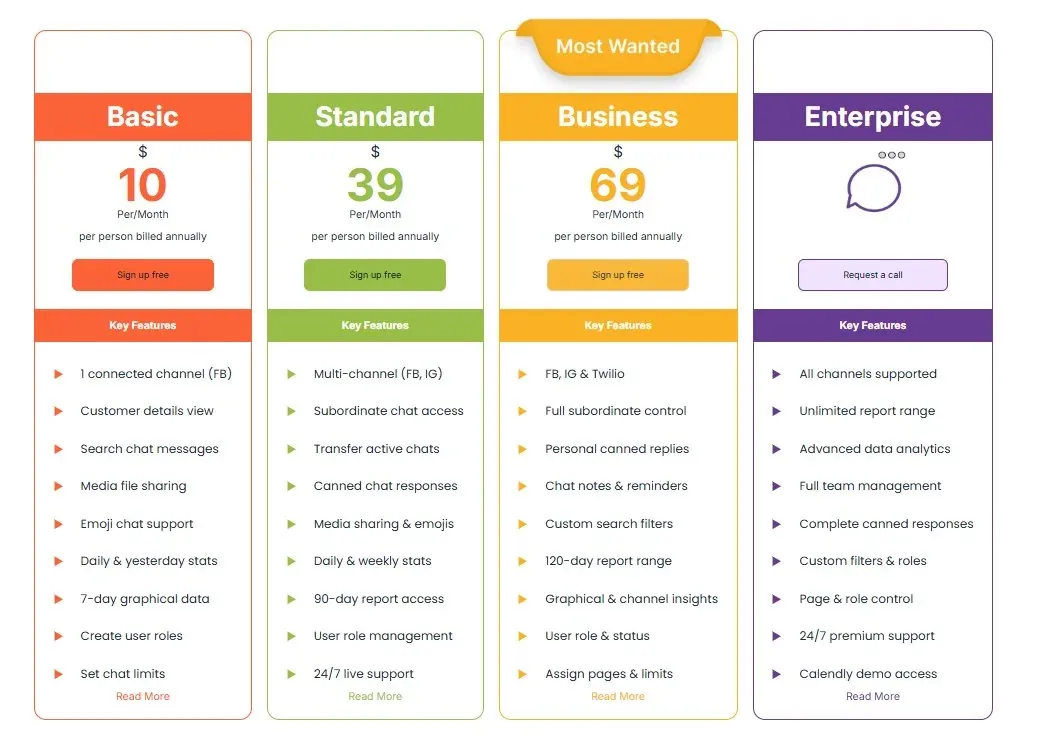
Kuikwit charges a flat price per seat, billed annually — no usage meter, no per-resolution AI fee, no per-channel add-on tax. Four plans:
- Basic — $10/seat/mo — one connected channel (Facebook), customer details view, chat search, media file sharing.
- Standard — $39/seat/mo — multi-channel (Facebook + Instagram), subordinate chat access, transfer active chats, canned responses.
- Business — $69/seat/mo (most popular) — Facebook, Instagram and Twilio (SMS), full subordinate control, personal canned replies, chat notes and reminders.
- Enterprise — custom — all channels supported, unlimited report range, advanced analytics, full team management.
You can sign up for free to try it; paid plans start at $10/seat.
Same 10-person team, side by side:
| Kuikwit Business | Intercom Advanced | |
|---|---|---|
| Seats (10) | $690/mo | $850/mo |
| AI / usage on top | $0 (no meter) | +$495 for 500 Fin resolutions |
| Add-ons | none required | Copilot/Pro/Proactive often added |
| Realistic monthly | $690, flat | $1,345–$2,000 |
The takeaway buyers care about: with Intercom, doing more support costs more — every AI resolution is metered at $0.99. Kuikwit's bill is the same number whether you handle 100 conversations or 10,000. For a 10-seat team, that's roughly half to a third of Intercom's real monthly cost — and, more importantly, it's a number you can actually put in a budget.
Features: where each tool pulls ahead
Channels and the inbox
This is the clearest split between the two.
Intercom is chat-first. Its Messenger widget is excellent inside a web or mobile app, and email is native. But channels like WhatsApp, SMS, and phone are paid add-ons layered on top — great if you want them, another line item if you don't.
Kuikwit brings your messaging channels into one shared inbox, and the channel mix scales with your plan: Facebook on Basic, Facebook + Instagram on Standard, and Facebook + Instagram + Twilio (SMS) on Business, with all channels on Enterprise. So a team on Business answers a Facebook comment, an Instagram DM, and an SMS from the same screen — without switching tools and without a separate per-channel line item. If most of your customer conversations happen on messaging apps rather than inside a SaaS dashboard, that consolidation is the difference-maker.
It's also the practical difference between omnichannel vs multichannel support — one shared context versus a pile of disconnected channels. (For the bigger picture on consolidating channels into a single system, see our guide to customer communication software and how unified messaging works in practice.)
A fair note: if WhatsApp specifically is non-negotiable for you today, check which plan and Twilio setup covers it for your region before you commit — the same due diligence applies to Intercom, where WhatsApp is a paid add-on on top of seats.
AI and automation: the pricing-model difference
Intercom's Fin is genuinely capable — it resolves conversations autonomously and you only pay when it succeeds, which aligns cost with outcome. The flip side is exactly that: at scale, a successful AI is an expensive AI. 1,000 Fin resolutions a month is about $990 on top of your seat costs.
This is where the two products diverge philosophically. Intercom's model says pay more as the AI does more. Kuikwit's model says pay one flat per-seat price — automation like canned and personal canned replies, chat notes, and reminders is part of the plan you're already on, not a separate meter ticking with every interaction. For a team that wants automation without watching a counter, that predictability is the point. (If an autonomous, deflection-style AI agent is a hard requirement for you, confirm Kuikwit's current automation depth fits your use case before switching — match the tool to the job, not the marketing.)
Customer data and the conversation view
Intercom does messaging brilliantly but isn't a full CRM; deep customer records and two-way data sync usually mean bolting on another tool. Kuikwit takes a lighter, built-in approach: a customer details view sits right beside the conversation, so an agent sees who they're talking to without leaving the inbox — and chat search and chat notes keep the history findable.
It's not pitched as a heavyweight CRM, and for many messaging-led teams that's exactly right: enough context to handle the conversation well, without a second system to maintain. If a full CRM is central to your decision, our Kuikwit vs Zoho CRM comparison goes deeper on that angle.
Live chat and proactive messaging
Both do live chat well. Intercom's edge is proactive messaging and product tours for in-app onboarding. If you've never set up a live chat widget before, start with what live chat is and how it fits a support stack, then weigh whether you need Intercom's tour-building depth or just a fast, clean chat experience.
When Intercom is the better choice (yes, really)
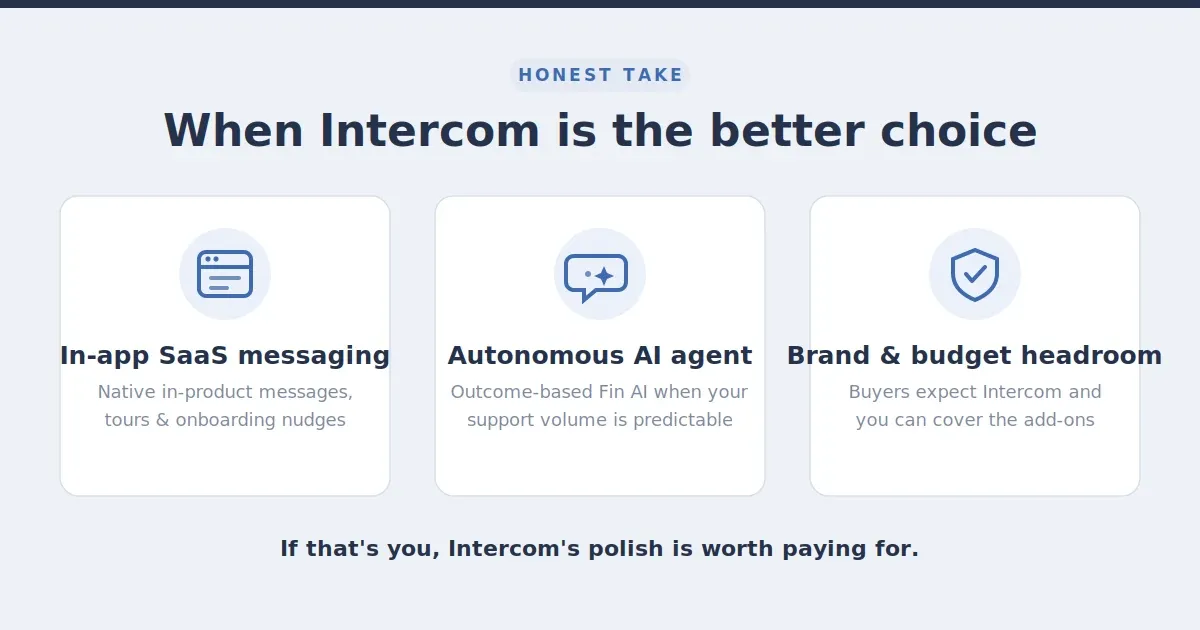
We're not going to pretend Intercom is wrong for everyone. Choose Intercom if:
- Your product is a web or mobile SaaS app and you want in-app messages, product tours, and onboarding nudges that feel native.
- You want a mature, autonomous AI agent and you're comfortable with outcome-based pricing because your support volume is predictable.
- Your buyers expect the Intercom brand and you have the budget headroom for add-ons.
If that's you, Intercom's polish is worth paying for.
When Kuikwit is the better choice
Choose Kuikwit if:
- Most of your conversations happen on Facebook, Instagram, SMS, or live chat, and you want them in one inbox without a per-channel or per-resolution tax.
- You need a predictable monthly bill and can't run a business on an invoice that climbs every time your AI succeeds.
- You're an SMB or growing team that wants a shared inbox plus customer context in one tool — starting at $10/seat — instead of stitching several together.
Want proof this works in practice rather than on paper? Walk through a real omnichannel case study of a team that consolidated its channels into one inbox.
Migration: how hard is it to switch?
Switching messaging tools is less painful than most teams fear, because the heavy assets — your customers — live on the channels, not inside the old tool. A realistic path looks like this:
- Export your data from Intercom — contacts and conversation history can be exported from your workspace.
- Reconnect your channels in Kuikwit — link Facebook, Instagram, and (on Business) Twilio/SMS to the shared inbox.
- Rebuild your saved replies as canned and personal canned responses, and set up chat notes and reminders for your team's workflow.
- Run both in parallel for a week so nothing falls through the cracks during cutover, then switch fully.
Most small teams complete this in a few days rather than weeks. If you'd like a hand importing contacts or setting up channels, Kuikwit's team can walk you through it — reach out before you start so the order of operations is clean.
Frequently asked questions
Is Kuikwit cheaper than Intercom?
For most teams, yes. Kuikwit's mid-tier Business plan is $69/seat/month versus Intercom's Advanced at $85/seat/month — and Kuikwit has no $0.99-per-resolution AI fee on top. A 10-seat team pays a flat $690/month on Kuikwit Business, while the equivalent Intercom setup typically lands between $1,345 and $2,000/month once Fin resolutions and add-ons are included.
Does Intercom have a free plan?
No. Intercom offers a 14-day free trial but no permanent free tier. Kuikwit lets you sign up for free to get started, with paid plans from $10/seat/month.
How much does Intercom's Fin AI cost?
Fin AI Agent is billed at $0.99 per resolution — charged only when it closes a conversation without escalating to a human — on top of your seat subscription, on every plan.
What's the best Intercom alternative for small teams?
If your conversations happen on social and messaging channels and you want a bill you can forecast, Kuikwit is a strong fit — flat per-seat pricing from $10, a shared inbox, and customer context built in, without Intercom's usage meter or per-channel add-ons.
Can I use WhatsApp/SMS with both tools?
Yes, but differently. With Intercom, these channels are paid add-ons with per-message usage fees. With Kuikwit, SMS comes through the Twilio connection on the Business plan (all channels on Enterprise) inside the same shared inbox — see how the WhatsApp API and channel connections work.
Related comparisons
Still narrowing your shortlist? These side-by-sides cover the other tools teams weigh against Kuikwit:
- Kuikwit vs Zoho CRM — if a built-in CRM is central to your decision.
- Kuikwit vs Respond.io — another omnichannel messaging contender.
- Kuikwit vs Beeper — if you're after a single inbox for personal + business chat apps.
The bottom line
Intercom is the right call for product-led SaaS teams that want the most polished in-app messaging and onboarding experience on the market — and have the budget tolerance for per-seat plus per-resolution pricing.
Kuikwit is the right call for teams whose customers live on social and messaging channels, who want one shared inbox with customer context built in, and who need a bill they can actually predict from one month to the next — starting at $10/seat.
If "we never know what Intercom will charge us next month" sounds familiar, that's the exact problem Kuikwit was built to remove.
Sign up free → or Request a call → to see it on your own channels.