
Stay posted with kuikwit's informative posts
Kuikwit vs Zoho CRM (2026): Pricing, Features And Which to Pick
Confused between Kuikwit and Zoho CRM? This guide breaks down real differences in communication, automation, and workflows to help you choose the right tool for your business.
Tag:
Published:
5 months ago
Updated:
4 months ago
Reading_time:
8 min read
At a glance: Ku...
The honest summ...
Pricing compare...
Features: where...
When Zoho CRM i...
When Kuikwit is...
Do you actually...
Migration / get...
Frequently aske...
Related compari...
The bottom line
Tag:
Published:
5 months ago
Updated:
4 months ago
Reading_time:
8 min read
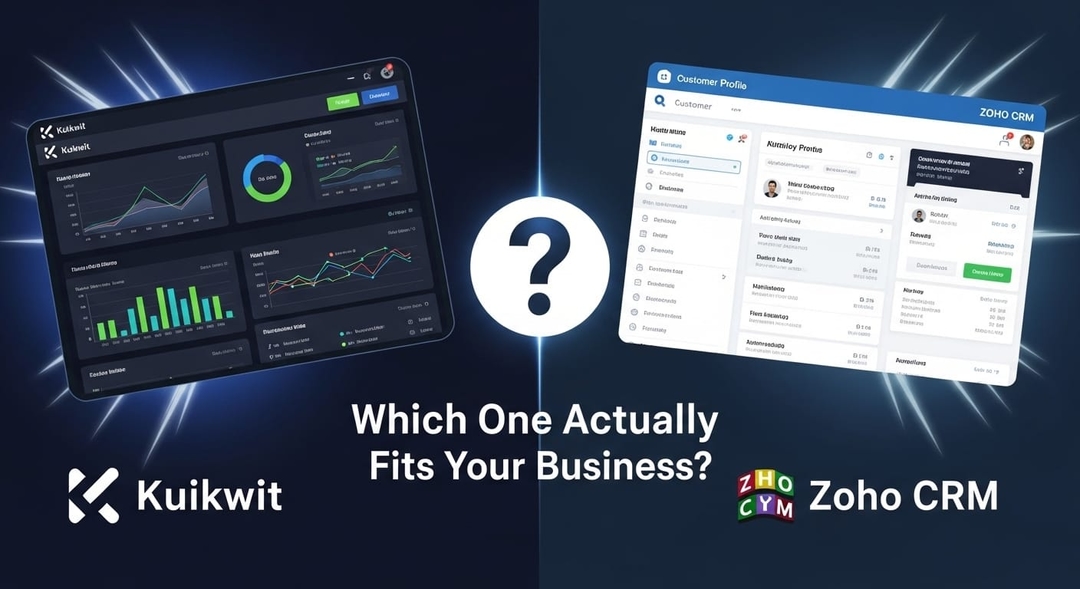
If you're comparing Kuikwit and Zoho CRM, the most useful thing we can tell you up front is this: you're probably choosing between two different jobs, not two versions of the same one. One is built to manage a sales process. The other is built to manage conversations. Get clear on which problem is actually hurting you, and the decision gets easy.
This guide lays out real pricing for both, where each one genuinely pulls ahead, the setup costs nobody puts on the pricing page, and an honest answer to "which should I pick?" — including when the answer is Zoho, and when it might be both.
At a glance: Kuikwit vs Zoho CRM
|
|
Kuikwit |
Zoho CRM |
|
Category |
Customer communication / shared inbox |
Sales CRM |
|
Best for |
Multichannel customer conversations, fast setup |
Sales pipelines, deals, forecasting |
|
Pricing |
10-69/seat/mo (flat, billed annually) |
14-52/user/mo (billed annually) |
|
Free plan |
Free sign-up to try; paid from $10 |
Yes — genuine free plan, up to 3 users |
|
AI |
Automation in-plan (no usage meter) |
Zia AI, but only from the $40 Enterprise tier |
|
Setup cost |
Minimal — live in a day |
Often 3000-15,000 year-one (10 users) |
|
Channels |
Facebook → +Instagram → +SMS (Twilio) → all |
Email-centric; channels via integrations |
|
Learning curve |
Low |
Moderate–steep |
The honest summary first
Zoho CRM is one of the best-value sales CRMs on the market. For a team that lives and breathes a sales pipeline — leads, deals, stages, forecasts, quotas — it's hard to beat on price-to-power, especially next to Salesforce or HubSpot. If that's the engine of your business, Zoho is a serious, capable tool and this comparison may end with you choosing it. We'll say so plainly.
But a lot of teams reach for "a CRM" when what they actually need is a better way to talk to customers — to stop losing Instagram DMs, WhatsApp messages, and Facebook comments across five tabs and three people. That's a conversation problem, not a pipeline problem, and a sales CRM is a heavy, expensive answer to it. That's the gap Kuikwit fills: one shared inbox, customer context beside every chat, and a flat per-seat price you can stand up in an afternoon.
So the real question isn't "which is better." It's "is my bottleneck the sales pipeline, or the conversations?"
Pricing compared
Zoho CRM's pricing in 2026
Zoho CRM is priced per user, per month, billed annually (monthly billing runs roughly 20–34% higher):
• Free — $0, up to 3 users, core contact and lead management.
• Standard — $14/user/mo — basic automation, scoring, custom fields.
• Professional — $23/user/mo — Blueprint sales automation, inventory, integrations.
• Enterprise — $40/user/mo — Zia AI, territory management, custom functions, sandbox.
• Ultimate — $52/user/mo — advanced analytics (Zoho Analytics), higher limits.
Two things the pricing page won't shout about. First, AI is gated: Zia's predictions, anomaly detection, and email sentiment only start at the $40 Enterprise tier — Standard and Professional don't include it. Second, and bigger: the real year-one cost. For a 10-person team, independent breakdowns put implementation, data migration, and training at roughly
15,000 on top of the licence — Zoho's own ecosystem of partners exists precisely because non-trivial setups need help. The licence is cheap; getting fully live is not.If you're comparing Kuikwit and Zoho CRM, the most useful thing we can tell you up front is this: you're probably choosing between two different jobs, not two versions of the same one. One is built to manage a sales process. The other is built to manage conversations. Get clear on which problem is actually hurting you, and the decision gets easy.
This guide lays out real pricing for both, where each one genuinely pulls ahead, the setup costs nobody puts on the pricing page, and an honest answer to "which should I pick?" — including when the answer is Zoho, and when it might be both.
Kuikwit's pricing
Kuikwit is a flat price per seat, billed annually, with no usage meters and minimal setup:
• Basic — $10/seat/mo — one channel (Facebook), customer details view, chat search.
• Standard — $39/seat/mo — Facebook + Instagram, chat transfer, canned responses.
• Business — $69/seat/mo — Facebook, Instagram And Twilio (SMS), chat notes, custom filters.
• Enterprise — custom — all channels, advanced analytics, full team management.
You can sign up free to try it. There's no separate AI meter and, crucially, no multi-thousand-dollar implementation phase — most teams are handling live conversations the same day.
The honest pricing takeaway
On sticker price alone, Zoho's Standard (14) and Professional (23) tiers undercut Kuikwit's Business plan ($69) — but you're buying different things, and the sticker hides the rest. Zoho's true cost is licence + implementation + the AI upgrade to reach Enterprise. Kuikwit's true cost is the seat price, full stop. If "cheap to buy, expensive to deploy" describes a CRM project you've lived through before, that contrast is the whole point. For the fundamentals of evaluating cost-versus-fit, our guide on how to choose the right CRM is a useful companion read.
Features: where each tool pulls ahead
Sales pipeline vs. the conversation
This is the core split. Zoho CRM is organized around the deal — leads, stages, pipelines, forecasts, quotas, and sales automation like Blueprint. If you need to know which rep owns which deal and what closes this quarter, that's Zoho's home turf, and Kuikwit doesn't try to replace it. (If you're still tracking that in tabs, CRM vs spreadsheets is worth a look.)
Kuikwit is organized around the conversation. Facebook, Instagram, and SMS land in one shared inbox; agents transfer chats, use canned and personal canned replies, and see a customer details view without leaving the thread. For a support- or service-led team, that beats logging into a sales CRM to answer a DM. It's the difference between omnichannel vs multichannel customer service — one shared context versus scattered channels.
AI
Zoho's Zia is capable — predictive scoring, anomaly detection, sentiment — but it's locked to the $40+ Enterprise tier, so the AI you may be shopping for isn't in the cheaper plans. Kuikwit's automation (canned replies, notes, reminders, routing) is part of the plan you're already on, with no per-resolution meter. Different depth, different model: Zoho's AI is sales-prediction muscle you pay up for; Kuikwit's is conversation-handling speed included by default.
Channels and setup
Zoho CRM is email- and record-centric; bringing in live social/messaging channels usually means integrations or other Zoho apps. Kuikwit is channel-native — Facebook on Basic, Instagram on Standard, SMS via Twilio on Business, all channels on Enterprise — in one inbox. And setup is the quiet differentiator: Kuikwit is essentially same-day, while a real Zoho CRM rollout is a project. If your stack already includes a CRM, note that the two aren't mutually exclusive — see CRM integration and CRM software examples for how a conversation layer sits alongside one.
When Zoho CRM is the better choice
We're not going to pretend Kuikwit replaces a CRM. Choose Zoho CRM if:
• You run a sales pipeline and need deals, stages, forecasting, and quota tracking.
• You want sales automation (Blueprint, cadences) and predictive Zia AI, and can sit on the Enterprise tier to get it.
• You're already in the Zoho ecosystem (Books, Desk, Campaigns) and want everything under Zoho One.
• You have the time and budget to implement it properly.
If that's you, Zoho CRM is excellent value for what it does.
When Kuikwit is the better choice
Choose Kuikwit if:
• Your bottleneck is conversations, not pipeline — DMs and messages slipping through the cracks across channels.
• You want one shared inbox for Facebook, Instagram, and SMS with customer context built in.
• You need predictable per-seat pricing and to be live the same day, not after a multi-week rollout.
• You're an SMB or support/service team that wants simplicity over CRM depth.
For the bigger picture, Kuikwit sits in the customer engagement platform category alongside tools built around customer communication software and live chat.
Do you actually need both?
Often, yes — and that's a legitimate answer. A sales-led company can run Zoho CRM for the pipeline and Kuikwit for the conversations, with contact data flowing between them. Kuikwit isn't trying to be your system of record for deals; it's trying to make sure no customer message goes unanswered. If you're already committed to Zoho for sales, adding a dedicated conversation layer is usually cheaper and faster than forcing every channel through the CRM.
Migration / getting started
Standing up Kuikwit is deliberately light:
1. Connect your channels — link Facebook, Instagram, and (on Business) Twilio/SMS to the shared inbox.
2. Import or sync contacts — bring over customer details so context is there from day one.
3. Set up replies and roles — canned and personal canned responses, user roles, and chat limits for your team.
4. Go live — most teams are answering real conversations the same day.
Compared with a full Zoho CRM implementation, there's no multi-week configuration project — which, for many teams, is the deciding factor on its own.
Frequently asked questions
Is Kuikwit a CRM like Zoho? Not exactly. Zoho CRM is a sales-first CRM built around pipelines, deals, and forecasting. Kuikwit is a customer communication platform — a shared inbox across messaging channels with a customer details view. They overlap on contact records but solve different core problems.
Does Zoho CRM have a free plan? Yes — a genuine free plan for up to 3 users with core contact and lead management. Paid plans run $14 to $52/user/month billed annually. Kuikwit offers a free sign-up, with paid plans from $10/seat.
How much does Zoho CRM really cost? License is $14 (Standard) to $52 (Ultimate) per user/month annually, but a realistic 10-person rollout often adds 15,000 in implementation, data migration, and training in year one. Zia AI is only included from the $40 Enterprise tier.
Which is better for a small support team? If your priority is answering customers across Facebook, Instagram, and SMS from one inbox with fast setup and predictable cost, Kuikwit fits better. If you need to manage a sales pipeline with deals and forecasting, Zoho CRM is the stronger tool.
Can I use Kuikwit and Zoho CRM together? Yes. Many teams keep Zoho CRM for the sales pipeline and use Kuikwit as the conversation layer across channels, syncing contact data between them.
Related comparisons
• Kuikwit vs Intercom — if in-app SaaS messaging is on your shortlist.
• Kuikwit vs Respond.io — another omnichannel messaging contender.
• Kuikwit vs Beeper — a single inbox for personal + business chat apps.
The bottom line
Zoho CRM is the right call when your business runs on a sales pipeline and you need the deals, automation, and forecasting a real CRM provides — and you have the runway to implement it well.
Kuikwit is the right call when your business runs on conversations — when the thing costing you customers is messages slipping through the cracks across channels — and you want one inbox, customer context, predictable per-seat pricing, and to be live today.
Figure out which of those is your actual bottleneck, and the choice makes itself.
Sign up free → or Request a call → to see Kuikwit on your own channels.