
Stay posted with kuikwit's informative posts
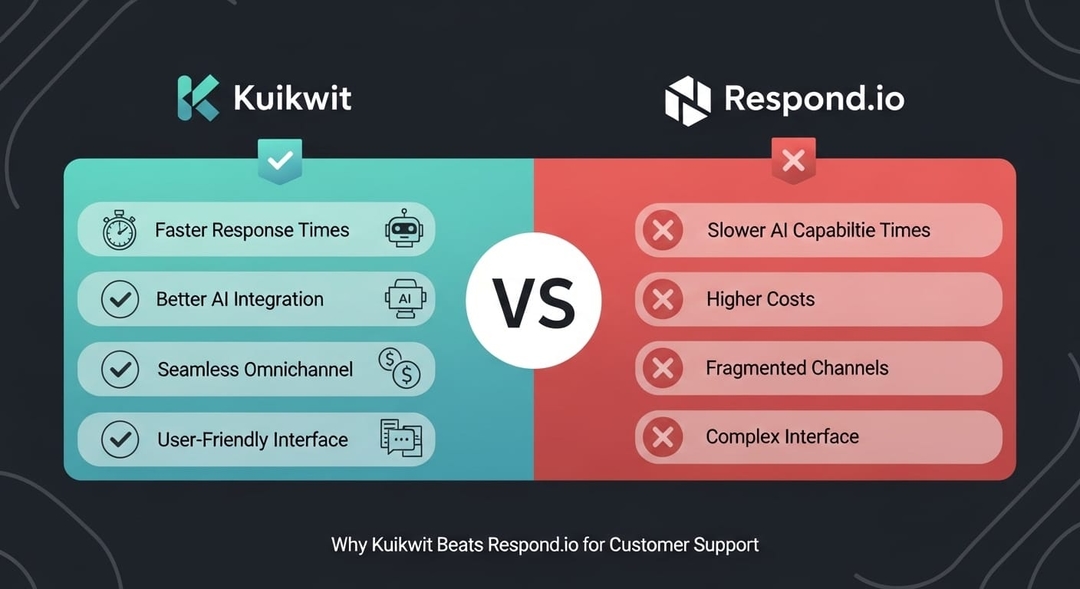
Kuikwit vs Respond.io (2026): Pricing, Features And Which Wins
Stop settling for WhatsApp-only support. Kuikwit's omnichannel platform lets you manage Facebook, Instagram, WhatsApp, SMS, voice & email together. Unlike Respond.io, Kuikwit's team management, analytics & 24/7 support come standard. Compare pricing & features now.
Tag:
Published:
7 months ago
Updated:
4 months ago
Reading_time:
9 min read
At a glance: Ku...
The honest summ...
Pricing compare...
Features: where...
When Respond.io...
When Kuikwit is...
The Monthly Act...
Migration / get...
Frequently aske...
Related compari...
The bottom line
Tag:
Published:
7 months ago
Updated:
4 months ago
Reading_time:
9 min read
Let's be straight with you from the first line, because you'll see through anything else: Respond.io is very good at what it does, and it's the recognised heavyweight in this category. If your business lives on WhatsApp and you want serious automation, AI agents, and broadcast campaigns, Respond.io is built for exactly that.
So this isn't a hit piece. It's an honest comparison for the teams who type "Respond.io alternative" into Google for one of two reasons: the pricing model got complicated and unpredictable, or the platform is simply more than they need. If that's you, this is the comparison that helps. And if it turns out Respond.io is the right tool for you, we'll say so plainly.
At a glance: Kuikwit vs Respond.io
|
|
Kuikwit |
Respond.io |
|
Best
for |
Simple,
predictable shared inbox |
WhatsApp-first
automation at scale |
|
Pricing
model |
Flat
per seat |
Base
plan + Monthly Active Contacts + seats + Meta fees |
|
Starting
price |
$10/seat/mo
(flat, annual) |
$79/mo
(Starter, 5 users, no automation) |
|
Automation/AI |
Light
(canned replies, routing, notes) |
Deep
— workflows + AI Agents, from $159 Growth |
|
Free
plan |
Free
sign-up; paid from $10 |
No
— 7-day trial only |
|
WhatsApp |
SMS
via Twilio (Business plan) |
Official
WhatsApp Business API partner |
|
Channels |
Facebook
→ +Instagram → +SMS → all |
WhatsApp,
Messenger, Instagram, Telegram, email, SMS, webchat |
|
Bill
predictability |
High
— seats only |
Lower
— moves with contacts, overage, Meta fees |
|
Setup |
Live
in a day |
Heavier;
28-day onboarding offered |
The honest summary first
Respond.io earned its place. As an official WhatsApp Business API partner, it gives WhatsApp-heavy businesses things the free WhatsApp app can't — team inboxes, template messages, broadcasts, a genuine automation workflow builder, and AI Agents that can route, qualify, and reply. For a B2C company running inbound leads over WhatsApp at volume, that depth is the whole point, and it's hard to match.
But that power comes with a pricing model that catches a lot of teams off guard. Your bill isn't one number — it's a base plan, plus the number of contacts you talk to each month (Monthly Active Contacts), plus extra seats, plus Meta's per-message WhatsApp fees. And the automation most people are actually shopping for is locked behind the $159/month Growth tier — the cheaper Starter plan is just an inbox.
Kuikwit plays a different game on purpose. It's a flat per-seat shared inbox: you know exactly what it costs, it doesn't meter your contacts, and you're live in a day. It is not as deep as Respond.io on automation — and if you need that depth, Respond.io wins. But for the large number of teams who want a clean, predictable inbox without the moving parts, that simplicity is the feature.
So the real question is: do you need Respond.io's automation engine, or do you just need a tidy, predictable inbox?
Pricing compared
Respond.io's pricing in 2026
Respond.io bills on two levers — Monthly Active Contacts and user seats — on top of the plan, with WhatsApp fees separate. Annual pricing (≈20% cheaper than monthly):
• Starter — $79/mo — 5 users, unlimited contacts, shared inbox, basic reports. No automation, no AI, no workflows, no broadcasts.
• Growth — $159/mo — 10 users, 1,000 MACs included. This is where the platform comes alive: workflows, AI Agents, broadcasts, API, HubSpot/Zapier integrations.
• Advanced — $279/mo — 10 users, 1,000 MACs, plus SSO, Salesforce, multiple workspaces, webhooks, data masking.
• Enterprise — custom — unlimited users, custom MAC quotas.
The parts that surprise people:
• The MAC meter. A Monthly Active Contact is anyone you exchange a message with that month. Growth and Advanced include just 1,000. Go over and you pay overage — $12 per 100 MACs on Growth, $15 per 100 on Advanced — billed at cycle end.
• Extra seats. Beyond the included users, additional seats run about $20/user/month.
• The automation paywall. The features most teams want (workflows, AI Agents) start at Growth, $159 — not Starter.
• Meta fees on top. Respond.io passes Meta's WhatsApp conversation fees through with no markup (a genuine plus), but they're still a separate, variable cost.
• No free plan — just a 7-day trial.
Net effect: a 15-person team on Growth is $159 base + 5 extra seats ×20 = 259/month before any MAC overage or Meta fees — and that number climbs with your conversation volume.
The honest pricing takeaway
This one isn't "Kuikwit is cheaper" — be wary of anyone who tells you a comparison is that simple. Respond.io bundles users into its base plan, so for some team sizes its per-user cost is actually lower. The real difference is predictability: Respond.io's bill moves with your contacts, your overage, and Meta's fees, and the automation is gated. Kuikwit's bill is your seat count times a fixed price — full stop. If you've ever opened a Respond.io invoice and had to work out why it changed, that predictability is the trade you're weighing. For the mechanics of how a flat-rate customer engagement platform differs from usage-based tools, that's the core of it.
Features: where each tool pulls ahead
Channels and WhatsApp
Respond.io wins on breadth. It's an official WhatsApp Business API partner and natively handles WhatsApp, Messenger, Instagram, Telegram, email, SMS, and webchat — a genuine omnichannel spread. If WhatsApp at scale is your core channel, that native BSP status matters, and it's a real reason teams choose it. (If you're new to the API side, our guide to the WhatsApp Business API explains what that partner status actually buys you, and WhatsApp marketing covers the campaign side.)
Kuikwit is narrower and tiered: Facebook on Basic, Instagram on Standard, SMS via Twilio on Business, all channels on Enterprise. It's built to bring your core channels into one shared inbox cleanly, not to be the deepest WhatsApp automation suite. If WhatsApp Business API at volume is non-negotiable for you, check Kuikwit's current WhatsApp setup for your region before deciding — and weigh it honestly against Respond.io's native support.
Automation and AI
This is Respond.io's strongest card. Its workflow builder handles routing, auto-assignment, chatbots, and triggered actions, and its AI Agents can qualify and reply — powerful for teams that will actually build and maintain those flows (and who land on Growth or above to get them). Kuikwit's automation is lighter: canned and personal canned replies, notes, reminders, and routing — enough to move fast in a shared inbox, but not a full automation platform. If deep automation is the job, Respond.io is the better tool. If it would sit unused, you'd be paying Growth-tier prices for features you don't touch.
Predictability and setup
Here Kuikwit pulls ahead. Flat per-seat pricing means no MAC meter, no overage math, no automation paywall — and setup is essentially same-day, versus Respond.io's heavier configuration and 28-day guided onboarding. For a team that wants to be live this week with a bill it can forecast, that simplicity is the differentiator. It's the practical side of choosing omnichannel vs multichannel tooling — power versus pragmatism.
When Respond.io is the better choice
We're not going to pretend otherwise. Choose Respond.io if:
• WhatsApp is your primary channel and you want native Business API depth, broadcasts, and template messaging.
• You'll genuinely build and run automation — workflows, AI Agents, routing — and can sit on Growth ($159) or above.
• You need CRM integrations like HubSpot or Salesforce, SSO, or multiple workspaces.
• You're a B2C team at scale where the MAC model and automation pay for themselves in saved manual work.
If that's you, Respond.io is a strong, category-leading choice.
When Kuikwit is the better choice
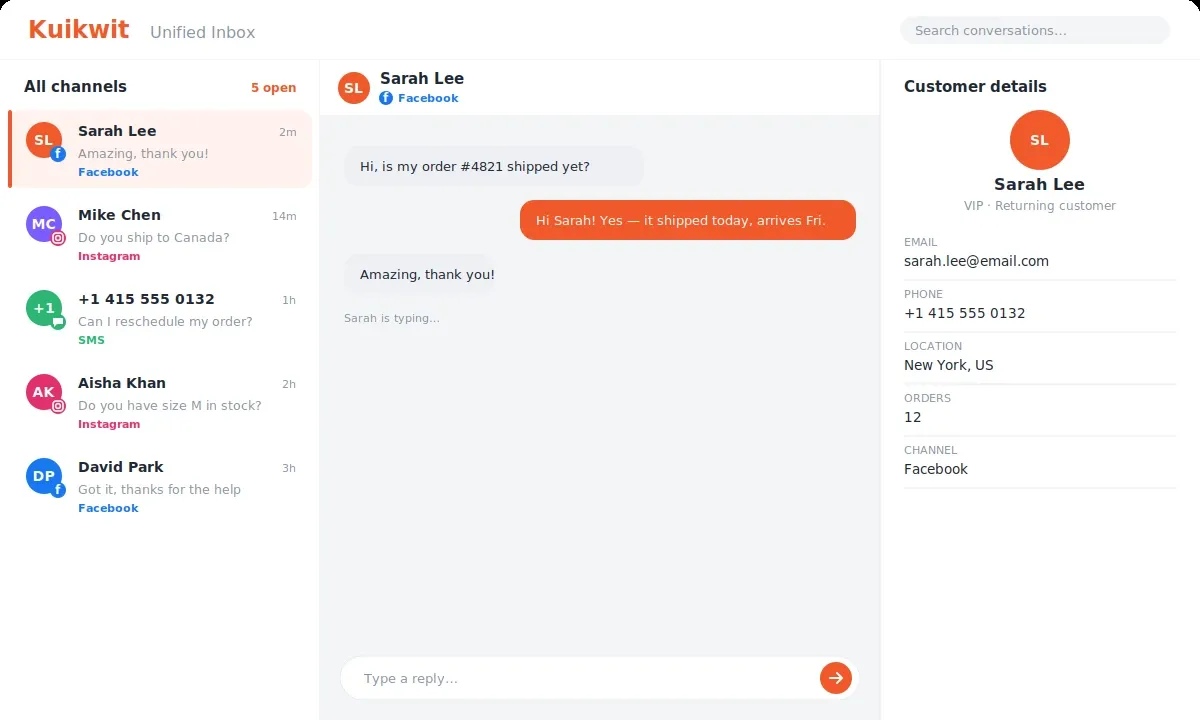
Choose Kuikwit if:
• You want a flat, predictable per-seat bill with no Monthly Active Contact meter or overage surprises.
• You need a clean shared inbox for Facebook, Instagram, and SMS — not a full automation suite.
• You're a small or mid-sized team for whom Respond.io's automation and MAC model is more than you'll use.
• You want to be live in a day with minimal setup.
For the wider context, Kuikwit sits in the customer communication software category and works like a focused live chat and messaging hub. You can also see how a team consolidated channels in a real omnichannel case study.
The Monthly Active Contacts model, explained
Because it's the part that trips teams up, it's worth slowing down on. Respond.io's bill scales with how many contacts you talk to, not just how many agents you have. Each plan includes a MAC allowance (1,000 on Growth/Advanced); every block of 100 contacts over that costs 12-15. For a steady, low-volume support desk that's fine. But for a business with seasonal spikes or fast-growing inbound volume, the bill can jump in months you didn't plan for — which is exactly the scenario that sends people searching for a flat-rate alternative.
Kuikwit's answer is simply not to meter contacts. Talk to 500 customers or 50,000 — your price is the same seat count times the same rate. Whether that predictability is worth trading Respond.io's automation depth is the heart of this decision.
Migration / getting started
Moving to (or starting with) Kuikwit is deliberately light:
1. Connect your channels — Facebook, Instagram, and (on Business) Twilio/SMS into one shared inbox.
2. Import or sync contacts — bring customer context across from day one.
3. Set up replies and roles — canned and personal canned responses, user roles, chat limits.
4. Go live — most teams are handling real conversations the same day, without a multi-week onboarding.
Frequently asked questions
Is Kuikwit cheaper than Respond.io? It depends on size and volume, but Kuikwit is more predictable. Respond.io bundles users into a base plan (79-279/month) but adds Monthly Active Contact charges, per-seat overage, and Meta WhatsApp fees on top. Kuikwit is a flat 10-69 per seat with no contact metering, so the bill doesn't move with your message volume.
Does Respond.io have a free plan? No — a 7-day trial only, and the cheapest Starter tier ($79/month annually) has no automation or AI. Kuikwit offers a free sign-up, with paid plans from $10 per seat.
What are Monthly Active Contacts (MACs)? A MAC is any contact you exchange a message with in a billing month. Respond.io bills on MACs plus seats; going over your MAC allowance costs 12-15 per 100 contacts. Kuikwit doesn't meter contacts at all.
Which is better for WhatsApp? For heavy WhatsApp automation at scale, Respond.io is purpose-built as an official WhatsApp Business API partner. For a simpler shared inbox with predictable pricing, Kuikwit is the lighter, more forecastable option.
What's the best simple Respond.io alternative? If Respond.io's automation and MAC-based pricing is more than you need, a flat per-seat shared inbox like Kuikwit covers the core job — one inbox across channels — without the complexity or the variable bill.
Related comparisons
• Kuikwit vs Intercom — if in-app SaaS messaging is also on your shortlist.
• Kuikwit vs Zoho CRM — if a sales pipeline is part of the decision.
• Kuikwit vs Beeper — a single inbox for personal + business chat apps.
The bottom line
Respond.io is the right call when WhatsApp automation at scale is your business — you'll use the workflows and AI Agents, you need native Business API depth, and the MAC-based model fits your volume.
Kuikwit is the right call when you want a simple, predictable shared inbox — flat per-seat pricing, no contact meter, no overage math, live in a day — and you don't need a full automation platform to get the job done.
Be honest with yourself about which of those describes your team, and the choice is clear.
Sign up free → or Request a call → to see Kuikwit on your own channels.